
Helen Grant
1 week ago
The payment features we needed are there and it runs fine.
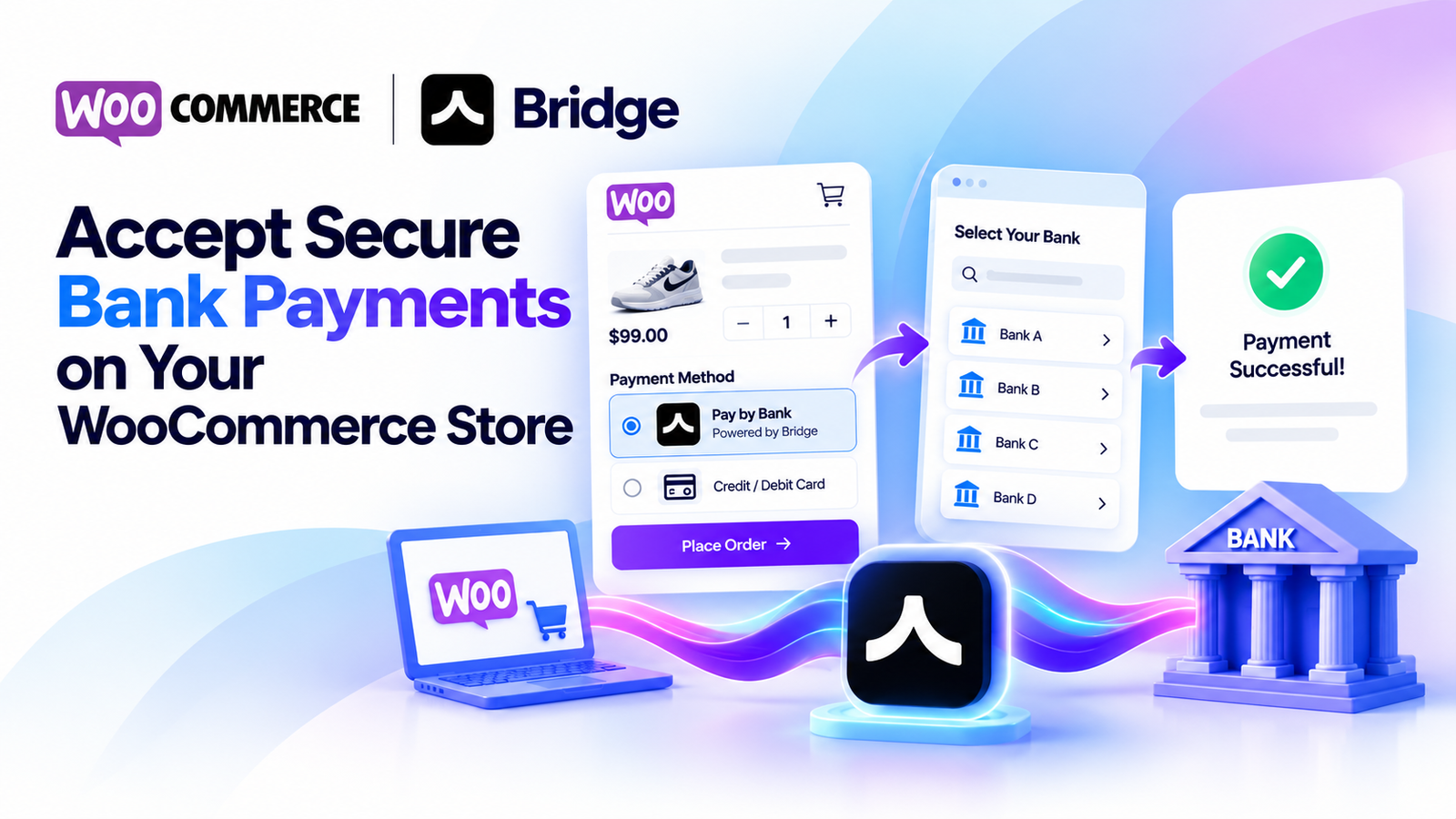
Accept secure bank payments directly on your WooCommerce store using Bridge API.
Bridge Payment Gateway for WooCommerce allows online stores to offer a simple and secure Pay by Bank payment method. Customers select Bridge at checkout, complete their payment through the supported banking flow, and return to your store.
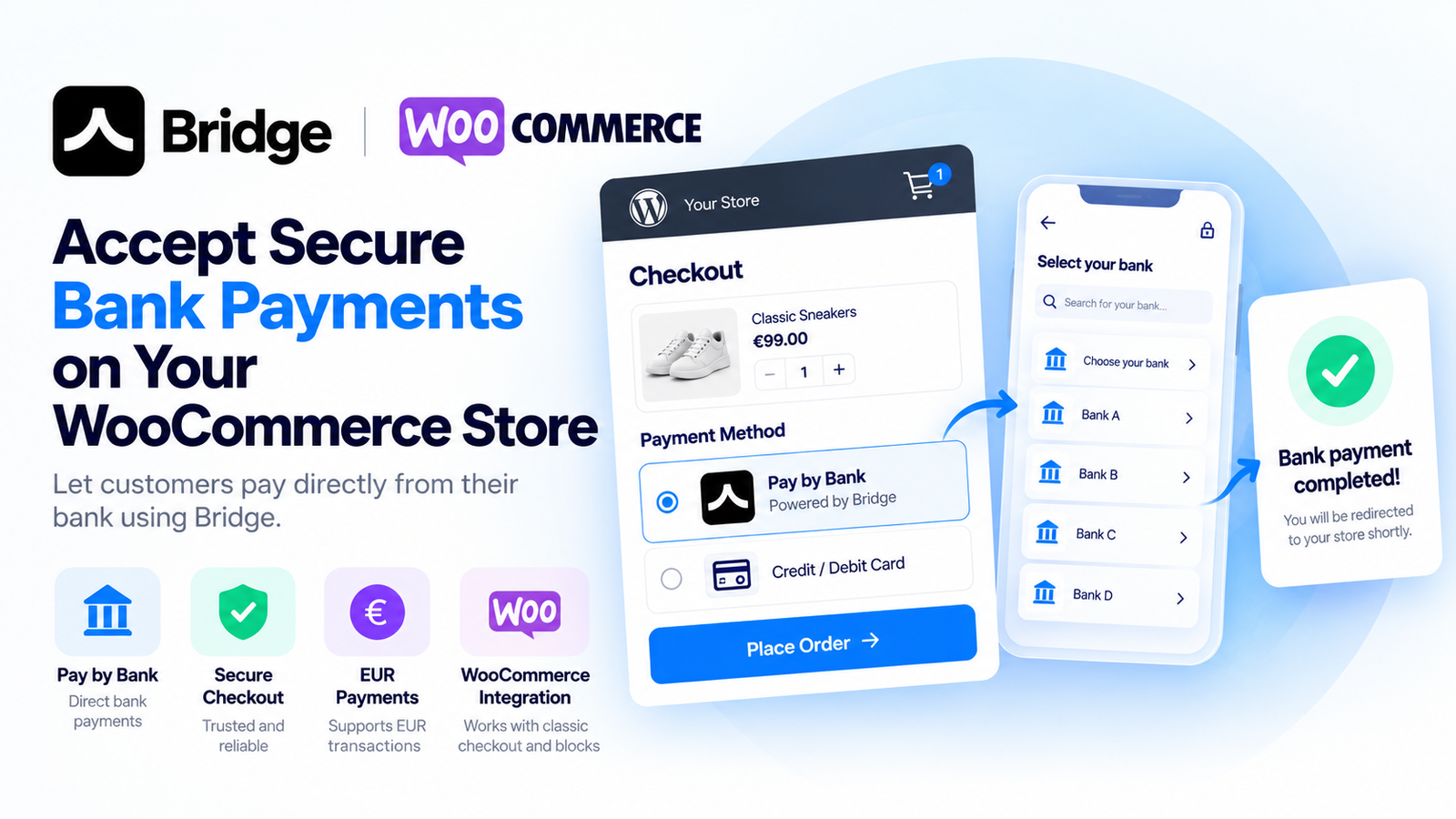
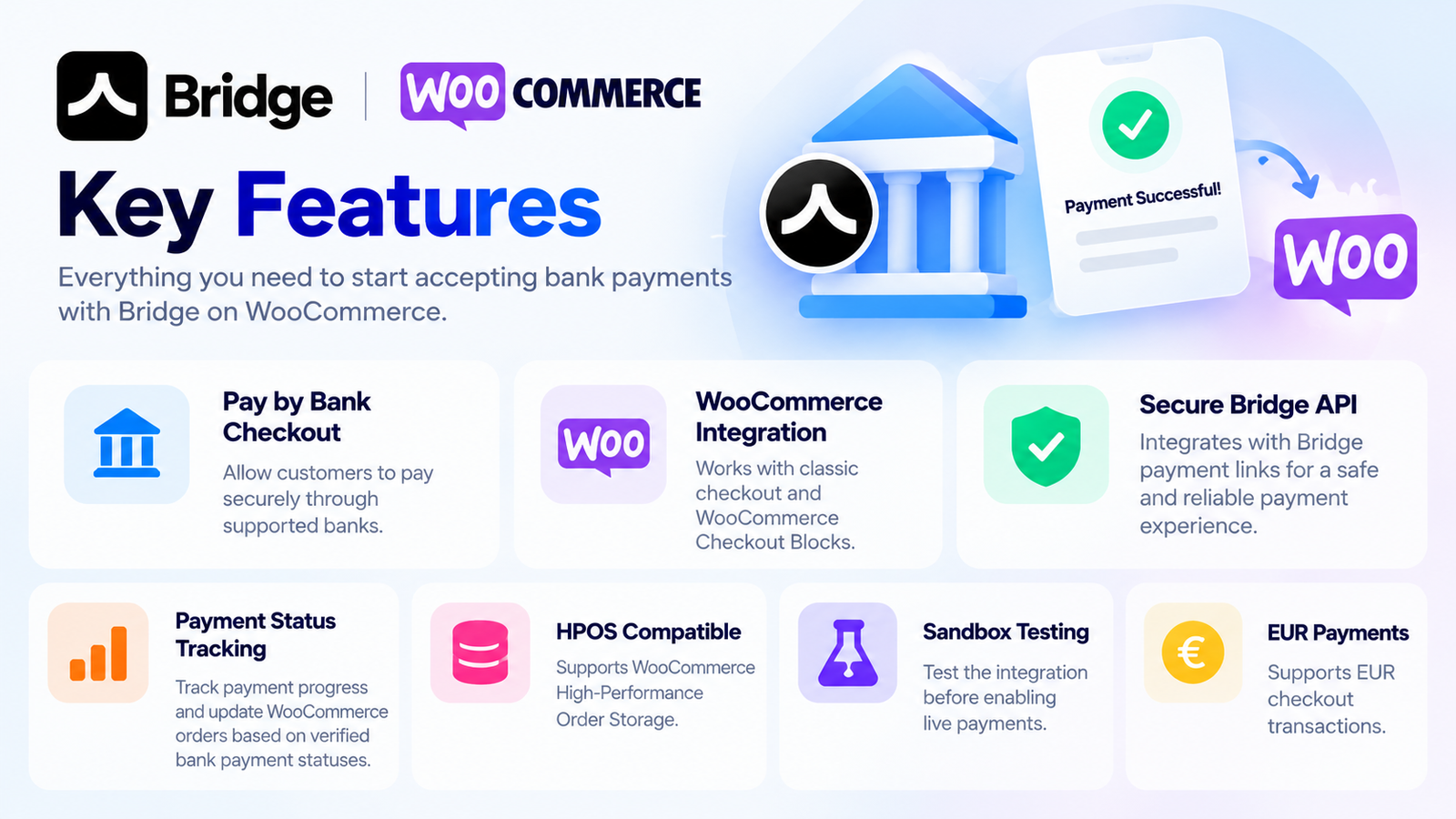
Pay by Bank Checkout: Allow customers to pay securely through supported banks.
WooCommerce Integration: Works with classic checkout and WooCommerce Checkout Blocks.
Secure Bridge API: Integrates with Bridge payment links.
Payment Status Tracking: Track payment progress and update WooCommerce orders based on verified bank payment statuses.
HPOS Compatible: Supports WooCommerce High-Performance Order Storage.
Sandbox Testing: Test the integration before enabling live payments.
EUR Payments: Supports EUR checkout transactions.
Simple Configuration: Configure your Bridge API credentials and payment settings from WooCommerce.
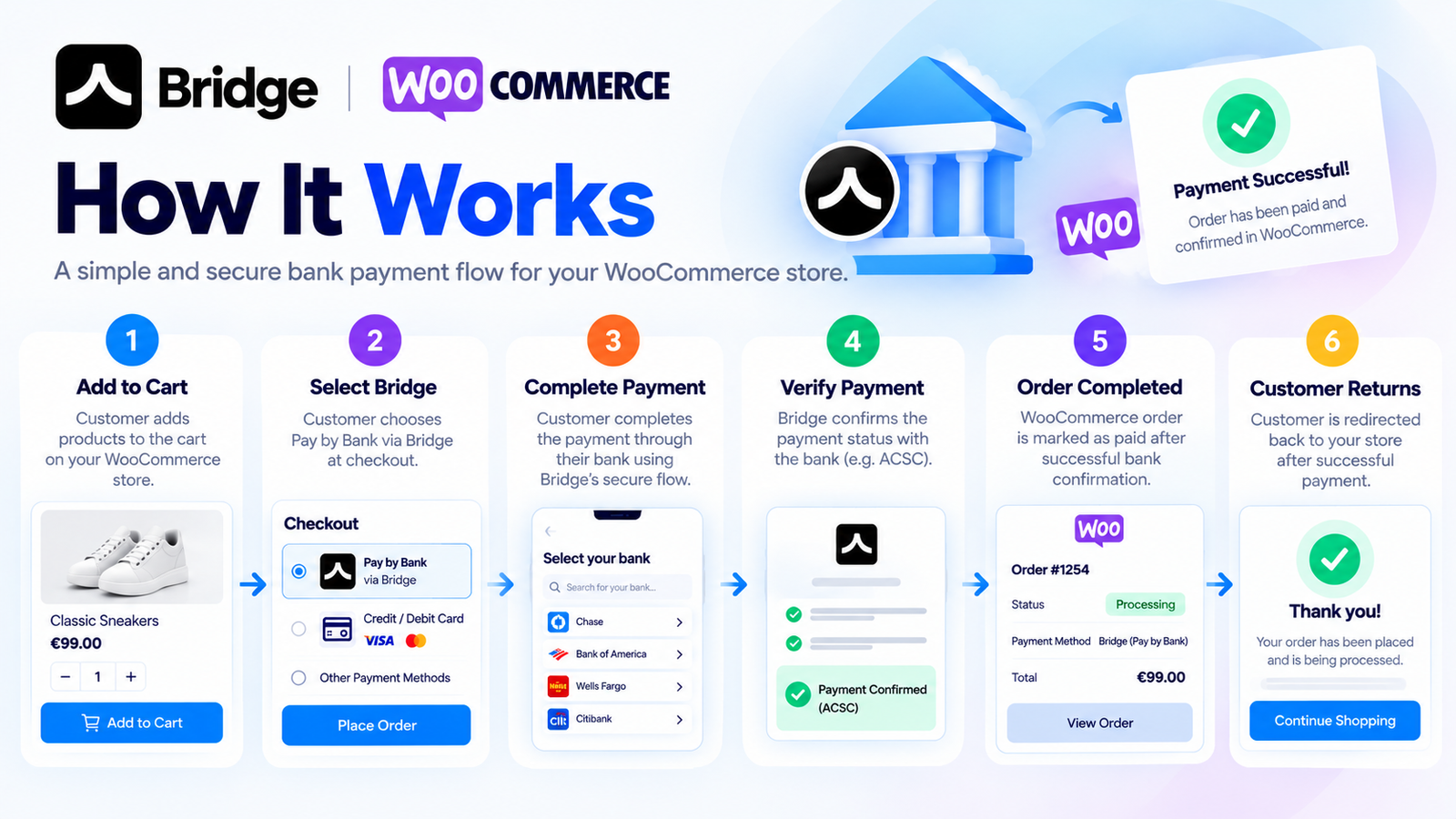
Customer adds products to the cart.
Customer selects Pay by Bank at checkout.
The plugin creates a Bridge payment link.
Customer completes the payment through the supported bank.
The plugin checks the payment status.
WooCommerce marks the order paid only after the bank confirms successful execution (ACSC).
Bridge provides a bank-based payment experience without requiring customers to enter card details into your WooCommerce store.
The plugin is designed to integrate with WooCommerce's native order management system, providing reliable payment tracking and a straightforward checkout experience.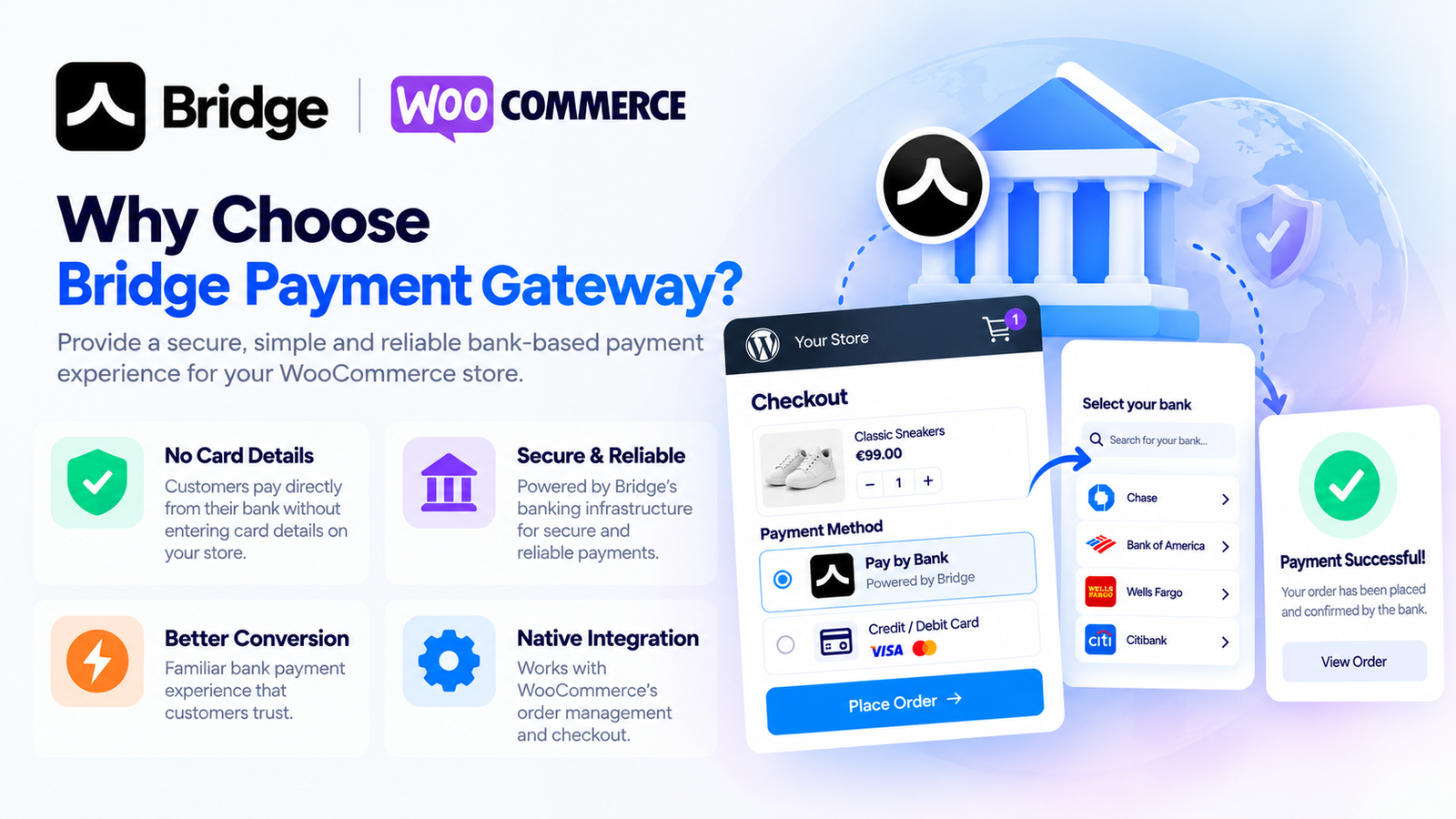
WordPress and WooCommerce
Bridge API credentials
EUR store currency
Supported Bridge banking environment
HTTPS for production use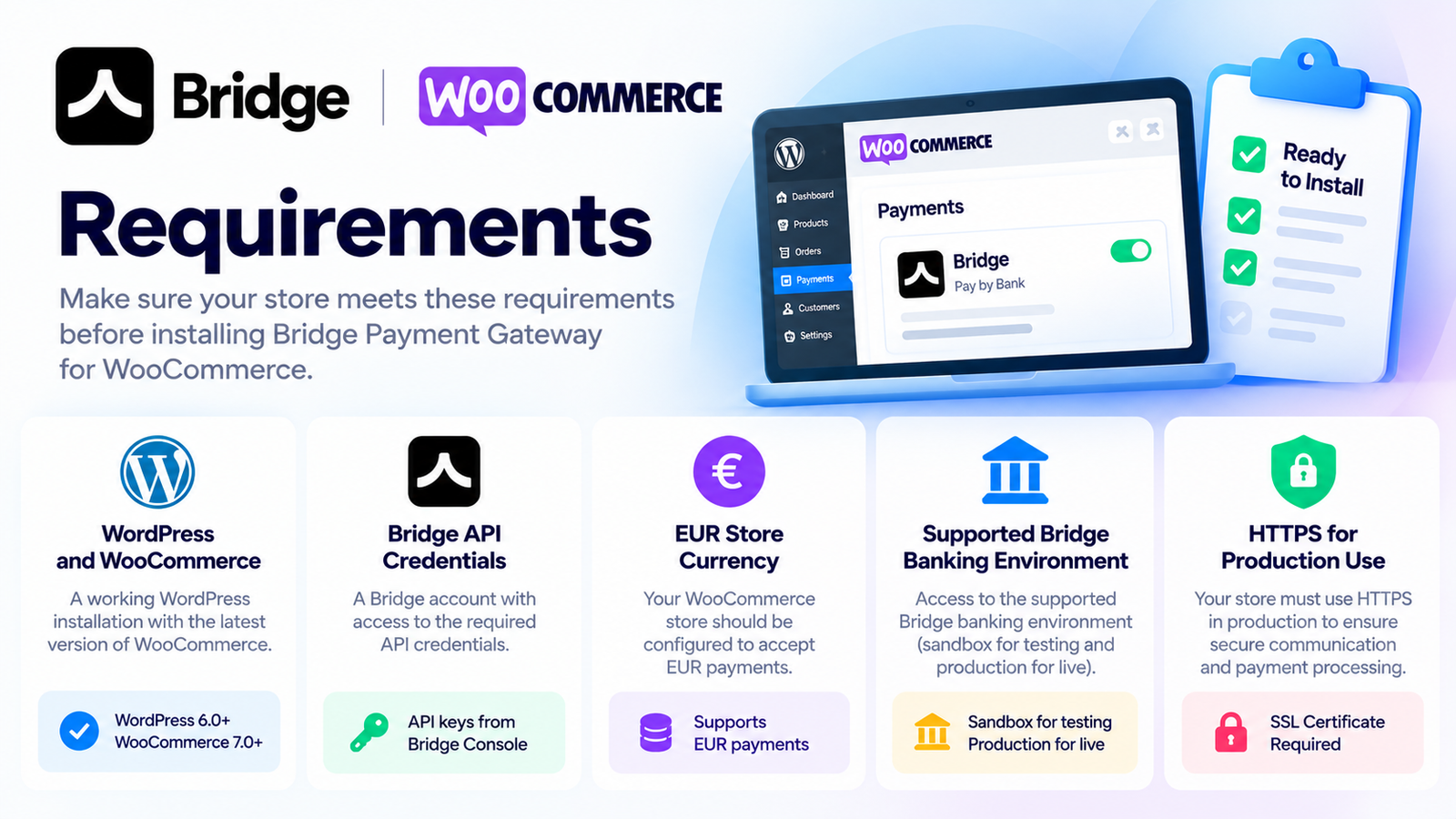
Payment initiation does not automatically mean a successful payment. The plugin marks orders paid only when the Bridge API confirms ACSC status.
Start accepting bank payments with Bridge Payment Gateway for WooCommerce.
It is a WooCommerce payment plugin that allows customers to pay directly from supported bank accounts using Bridge API.
Yes. It supports both classic WooCommerce checkout and Checkout Blocks.
The current plugin version supports EUR payments only.
Yes. You can configure Bridge sandbox credentials to test the integration.
Share your experience. A name is enough — no account is required.
4.6 average · 32 reviews
Helen Grant
1 week ago
The payment features we needed are there and it runs fine.
Leo Martins
1 week ago
We create the payment link, then check the final status. Clear enough that the rest of the team didn't need a walkthrough from me.
Nina Hoffmann
2 weeks ago
Good extra option for people who want to pay by bank. A few customers asked what happens after they select it, so a line at checkout would help them.
David Chen
2 weeks ago
Does one job and the settings don't feel crowded. That's what I want from a payment plugin.
Sara Lindqvist
3 weeks ago
EUR and the Bridge credentials were clear before I installed. A fuller note on which banks are covered would have helped the buy decision.
Guillaume Petit
1 month ago
We don't release an order because someone started a transfer. Waiting until the payment is actually executed is what we needed.
Rachel Byrne
1 month ago
The written steps got me through it. A short video of the credentials and one test order would still have been faster. Not a blocker, just saying.
Piotr Zielinski
1 month ago
Still on classic checkout here. It works with that, so we didn't have to rebuild the page just to offer bank payments.
Joanna Kirk
1 month ago
Settings are simple enough. What I had to learn was that starting a bank payment is not the same as it being confirmed. Once that clicked, no trouble.
Samuel Adeyemi
2 months ago
Wanted a Bridge gateway for WooCommerce without a pile of extra features. This stays on the payment and it's manageable.
Amelie Roux
2 months ago
Covers what we needed. Had one payment sit on pending in week one and I wasn't sure what to check first. A few examples in the docs would help.
Chris Palmer
2 months ago
Tested everything on sandbox credentials before we switched to live. Made the go-live a lot less nerve-racking.
Petra Novak
2 months ago
I like that it waits for a real confirmation. ACSC in the settings could use a plain note though. I had to look up what it meant.
Nathan Brooks
3 months ago
The jump from checkout to the bank is easy to follow. Customers aren't typing card numbers on our site, which is what we wanted.
Fatima Benali
3 months ago
Useful, as long as Bridge covers the banks your customers actually use. Check that before you spend an afternoon on setup. I wish that list was easier to find.
Robert Ellis
3 months ago
HPOS was a requirement before we bought anything. Good to have a bank payment option that actually supports it.
Ingrid Solberg
3 months ago
Took me a little while to get the payment statuses straight. After that it made sense. Awkward first afternoon, fine since then.
Carlos Mendes
4 months ago
These show up as normal WooCommerce orders. Didn't have to teach anyone a separate admin screen.
Megan Walsh
4 months ago
Plugin side is easy enough. After people leave checkout it depends on their bank, and a couple of customers thought the shop had frozen. Worth a heads-up on the page.
Jackson
4 months ago
Shop already runs in euros, so the currency limit wasn't a problem for us. Checkout flow feels right for how we sell.
Kiefer
4 months ago
Got it configured without support, but screenshots of the sandbox fields next to the live ones would have saved me some double-checking.
Albrecht
5 months ago
Settings page is calm. Credentials, then the payment options. No pile of toggles I'll never use.
Klara
5 months ago
Payment tracking is useful. When a payment has started but isn't confirmed, the wording customers see could be clearer. I still end up explaining that bit.
Daniel Okonkwo
5 months ago
Some of our customers just want to pay from their bank. This was the checkout option we were missing.
Anneliese Rios
6 months ago
The plugin settings are easy. Getting the Bridge account ready was the slow part. A little more guidance there would have helped.
Hana
6 months ago
We're on Checkout Blocks, so I tested that first. The bank option showed up and could be selected. No theme hack needed.
Sun-woo
6 months ago
An order isn't treated as paid just because the customer started the bank payment. That split matters to us and it's handled properly.
Seo-joon
6 months ago
Glad sandbox is included. I still wish there was a short checklist for the first test payment. I got there, it just took longer than the settings themselves.
Tae-hyun
7 months ago
Checkout stays clean. Pay by Bank is just another option, no extra boxes or a weird layout shift on our theme.
Anthony Charles
7 months ago
Fine on our euro shop. We have two other stores that aren't EUR, so I can't use it there. That's the only reason it's not a 5.
John Thomas
7 months ago
We already take cards. Wanted Pay by Bank beside that, and this does it. Customers can see both and pick.
James Cole
7 months ago
Added the credentials and ran a test payment the same afternoon. Nothing difficult about the setup.
Need help installing this plugin on WooCommerce? Contact KyleShop and we will guide you. Provider-specific setup is listed on this product page.
Contact supportItem details
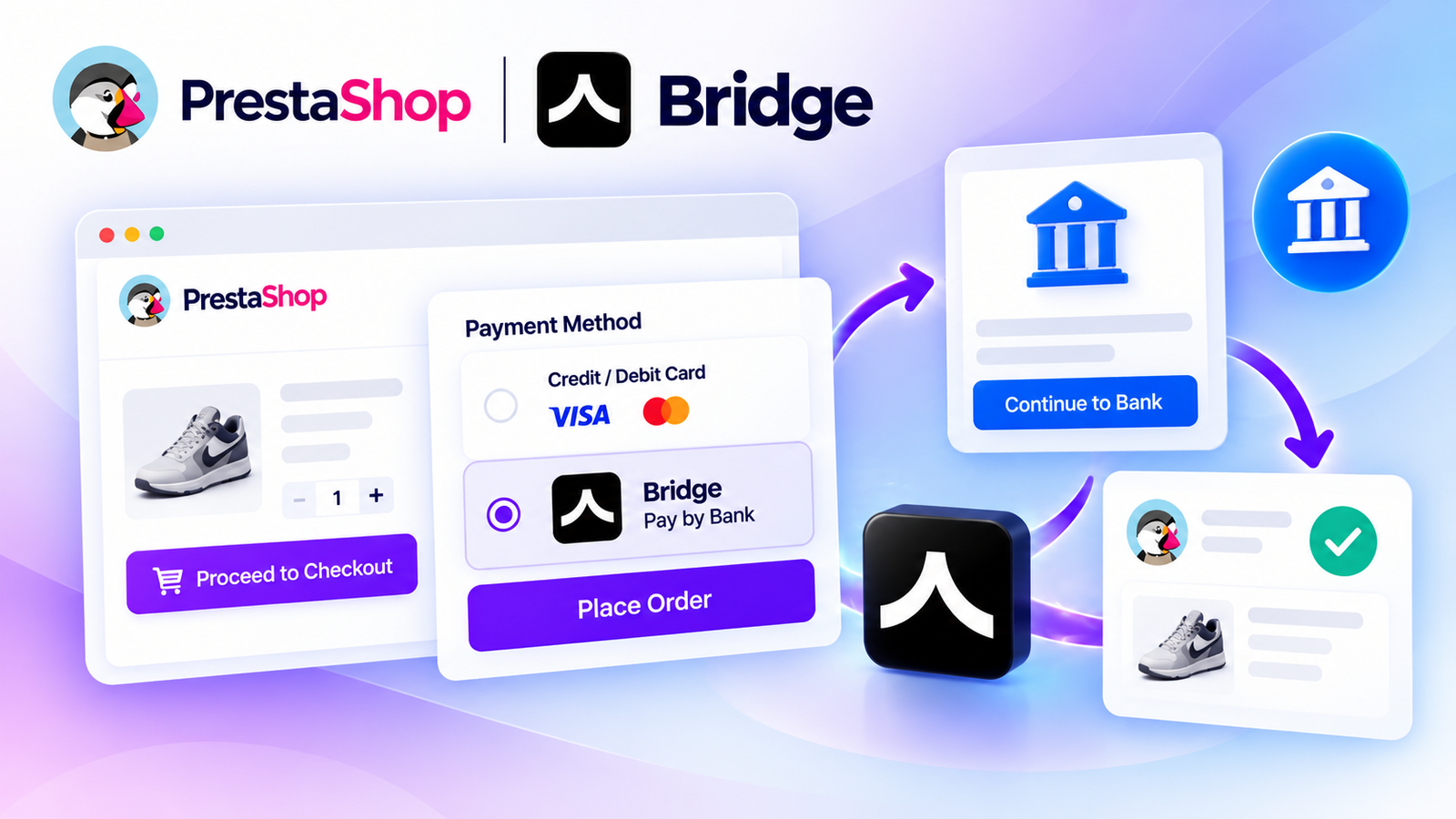
Accept secure bank payments directly on your PrestaShop store using Bridge API. Give customers a convenient Pay by Bank checkout experience with payment tracking, API integration, and supported bank-payment flows.
$250
No reviews yet
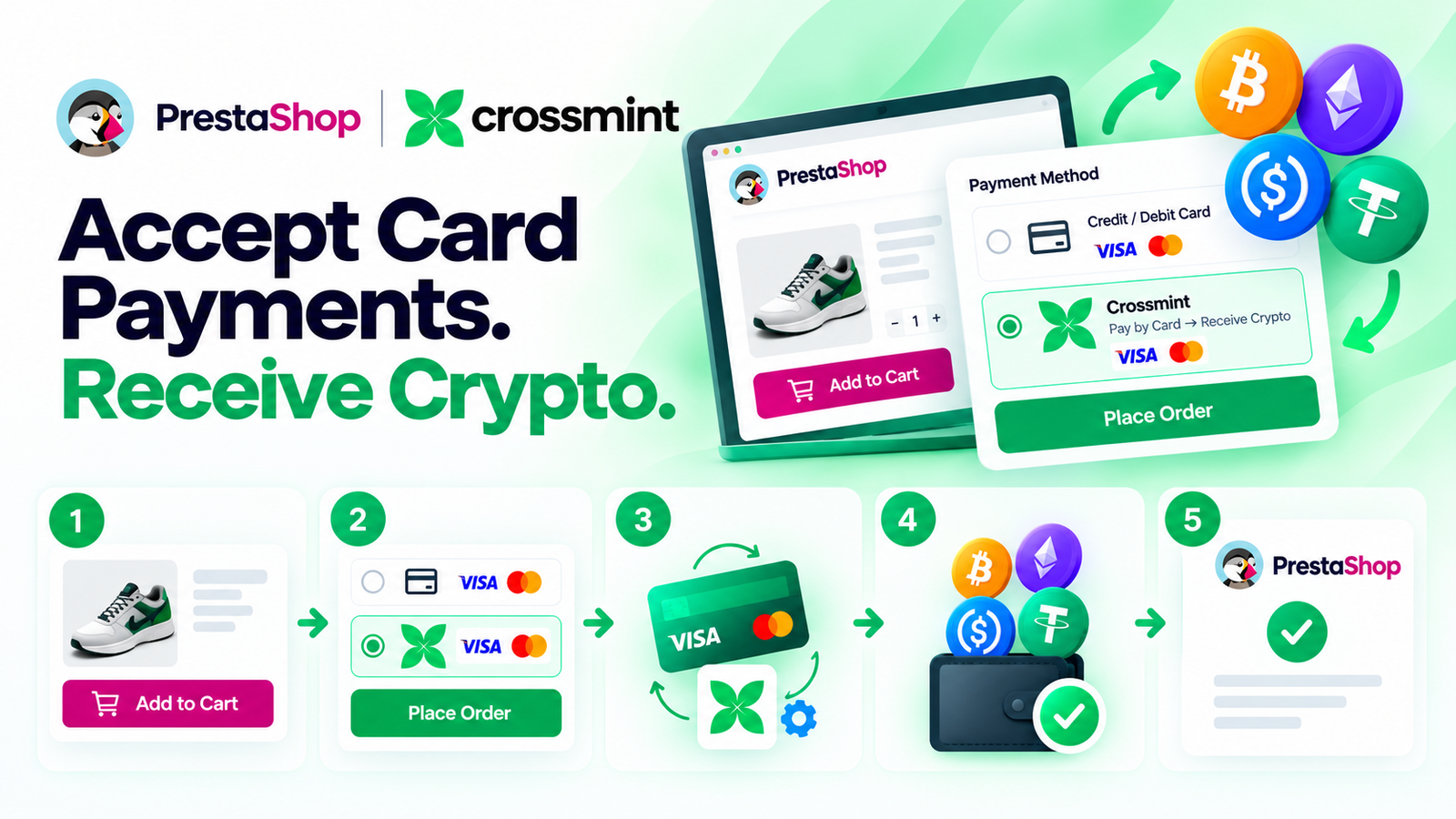
Let your PrestaShop customers pay with a credit or debit card while Crossmint handles the card-to-crypto conversion and delivers crypto to your configured wallet. Simple checkout, easy setup, and no KYC or business documents required by KyleShop to purchase or activate the plugin.
$250
No reviews yet
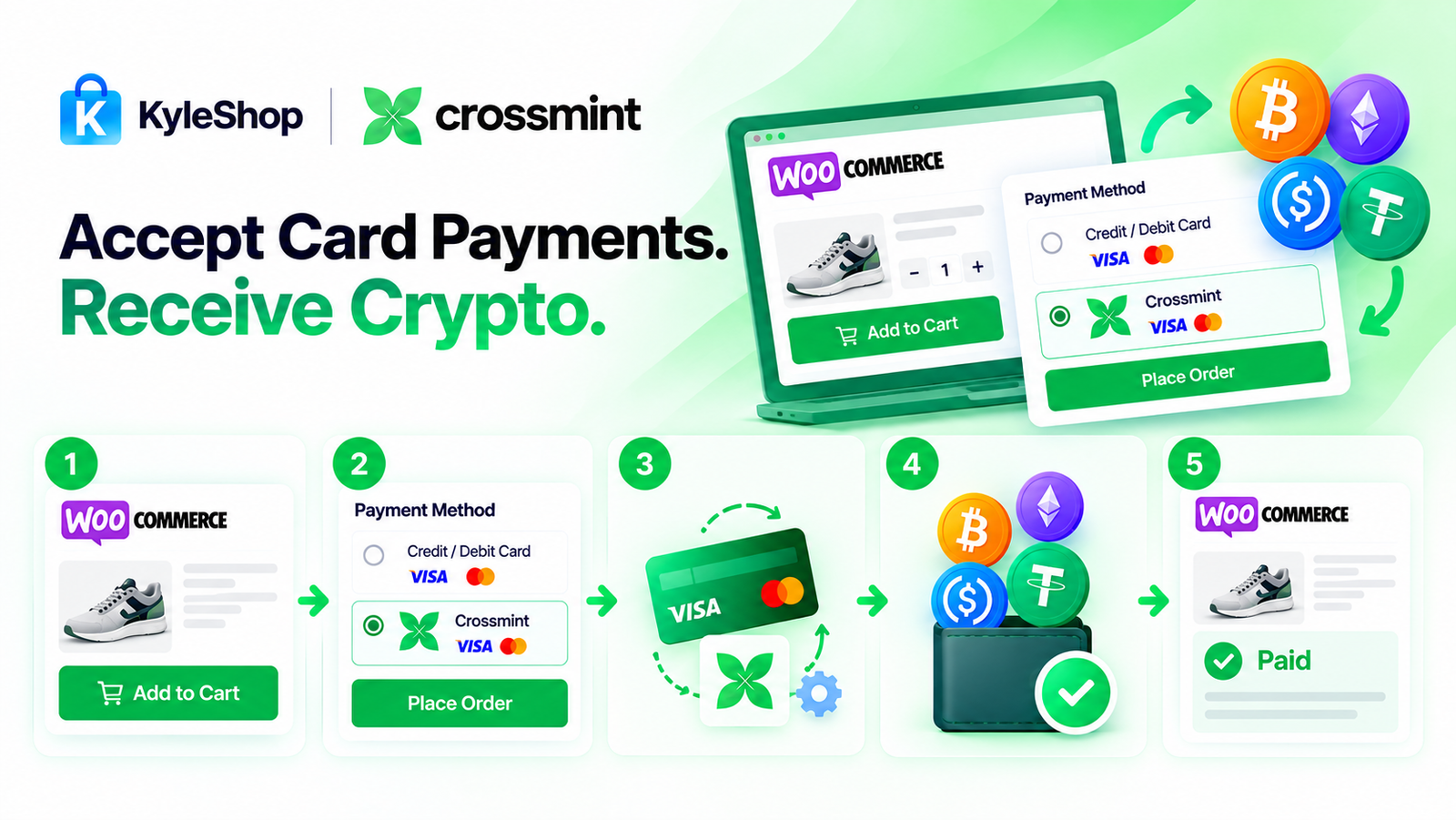
Let your customers pay with a credit or debit card while Crossmint handles the card-to-crypto conversion and sends crypto to your configured wallet. Simple WooCommerce checkout, easy setup, and no KYC or identity documents required by KyleShop to purchase or activate the plugin.
$250
No reviews yet

Let your PrestaShop customers pay by card while PayRam handles the card-to-crypto process and settles crypto directly to your configured wallet. Self-hosted gateway, simple checkout, automatic order updates, and no PayRam signup or KYB approval required.
$250
No reviews yet