
Isabella Morgan
6 days ago
The plugin offers a clear card-to-crypto checkout experience and the configuration interface is user friendly.
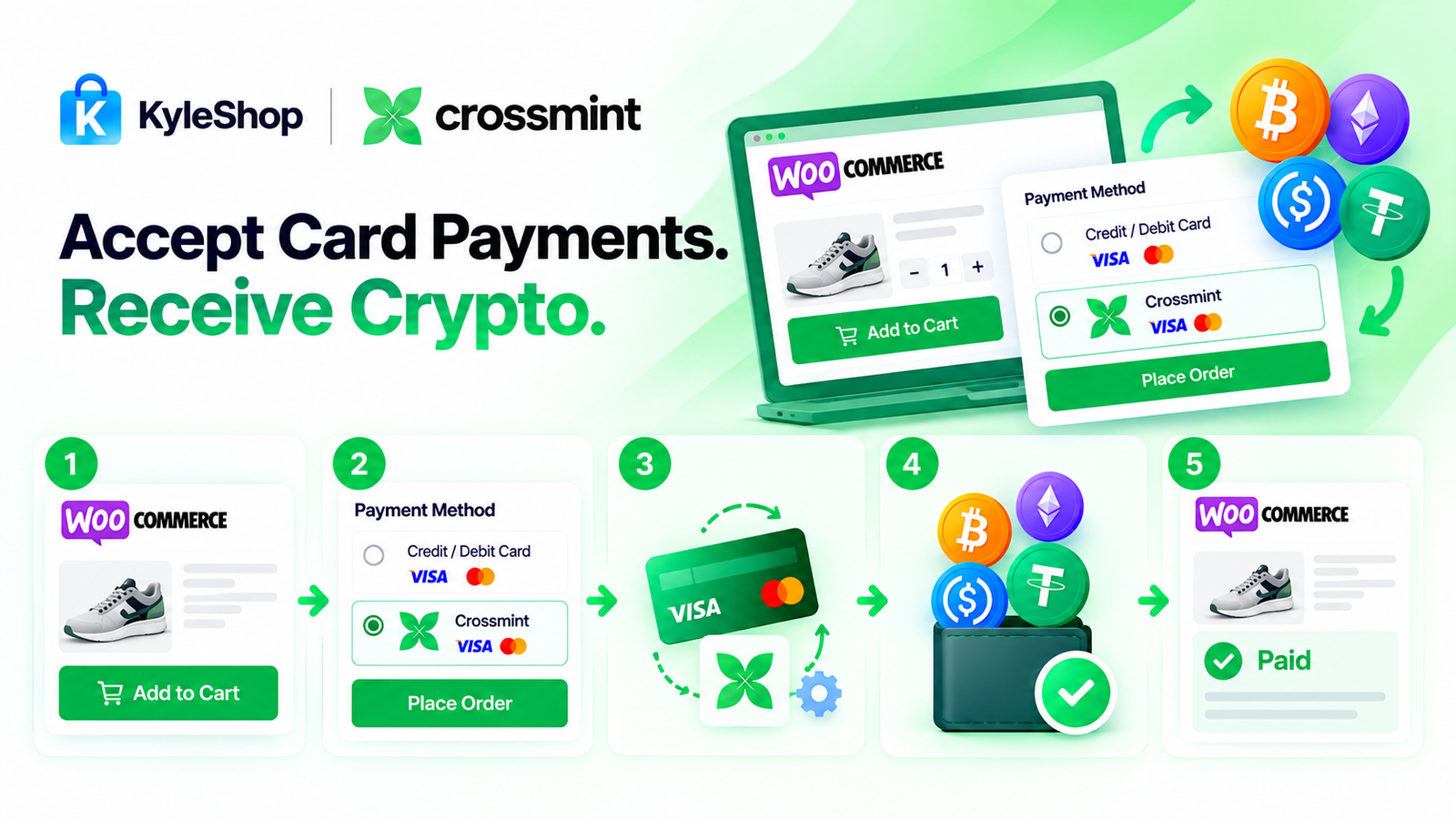
Add a simple card-to-crypto payment option to your WooCommerce store with the KyleShop Crossmint Onramp plugin.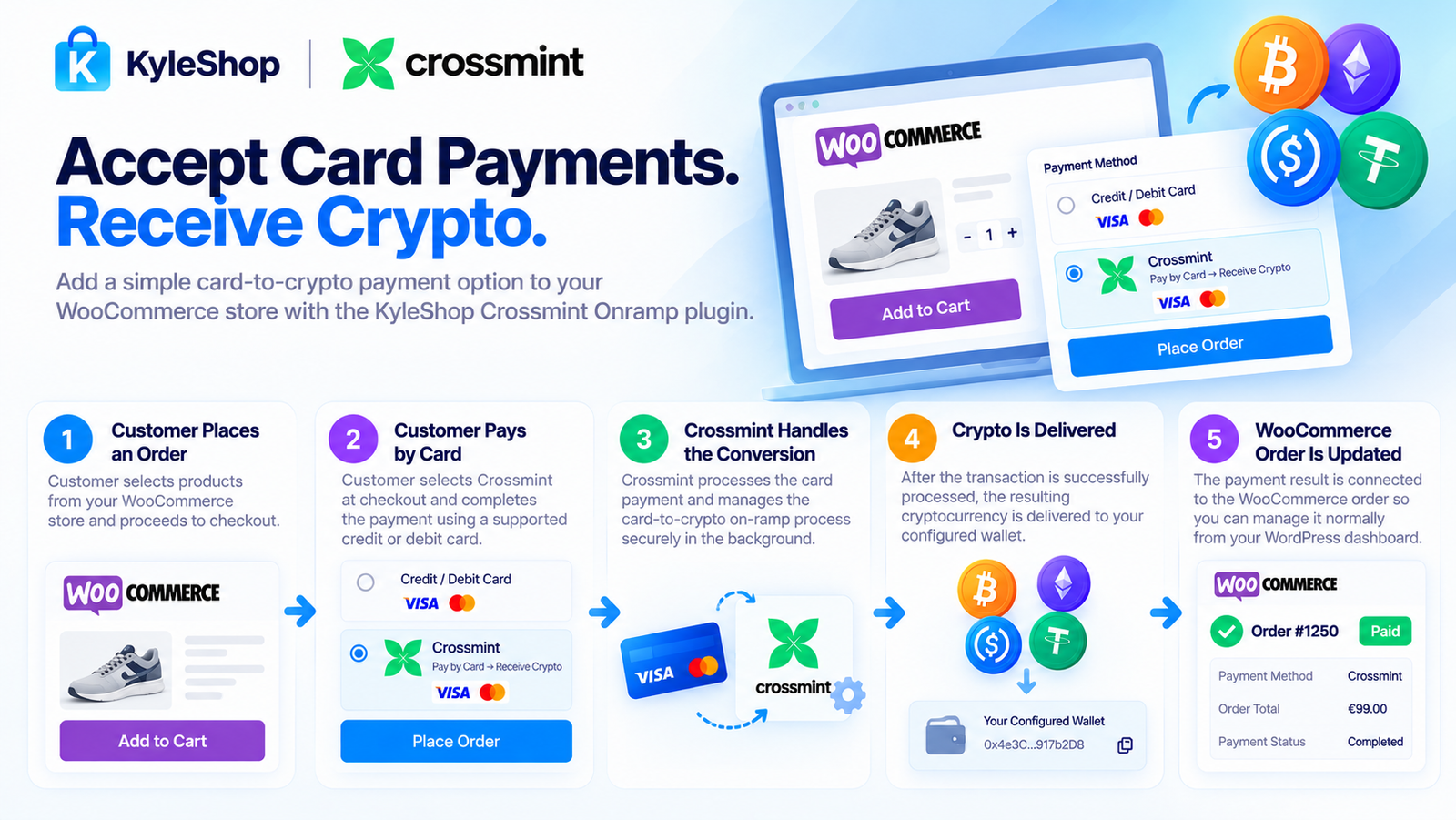
Your customer shops normally, goes to checkout, and pays using a supported credit or debit card.
Crossmint handles the on-ramp process behind the payment and converts the fiat payment into cryptocurrency.
The resulting crypto is then delivered according to the wallet configuration connected to your Crossmint setup.
The entire process is simple:
Customer Pays by Card → Crossmint Handles Card-to-Crypto → You Receive Crypto
Your customer does not need to manually buy cryptocurrency or send crypto to you.
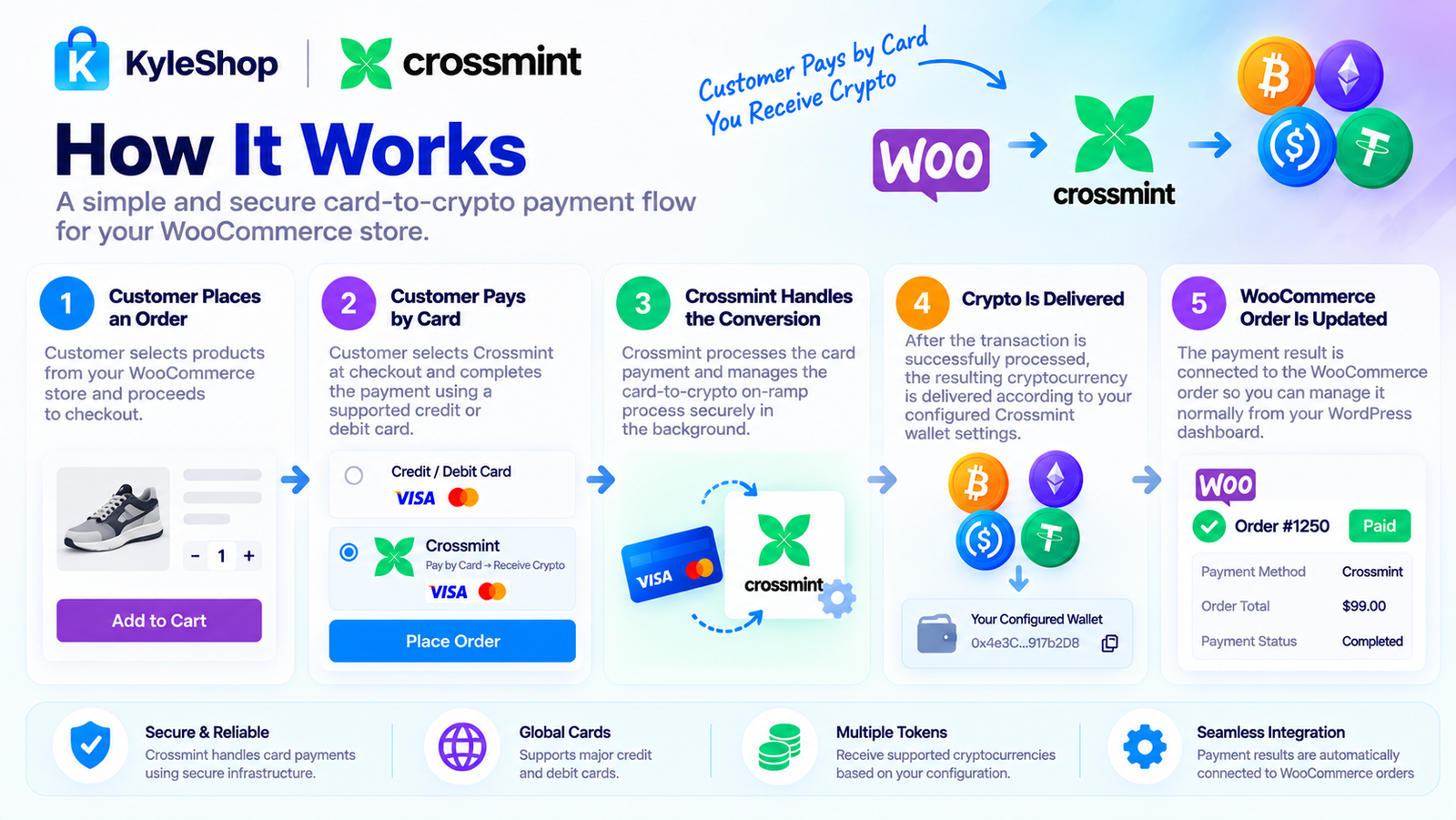
The customer selects a product from your WooCommerce store and proceeds to checkout normally.
The customer selects the Crossmint payment option and completes the payment using a supported credit or debit card.
Crossmint processes the card payment and manages the card-to-crypto on-ramp process.
After the transaction is successfully processed, the resulting cryptocurrency is delivered according to your configured Crossmint wallet settings.
The payment result is connected to the WooCommerce order so you can manage the purchase normally from your WordPress dashboard.
You do not need to provide KyleShop with KYC documents, identity verification, business documents, or technical paperwork to purchase, download, install, or activate this plugin.
The setup is simple: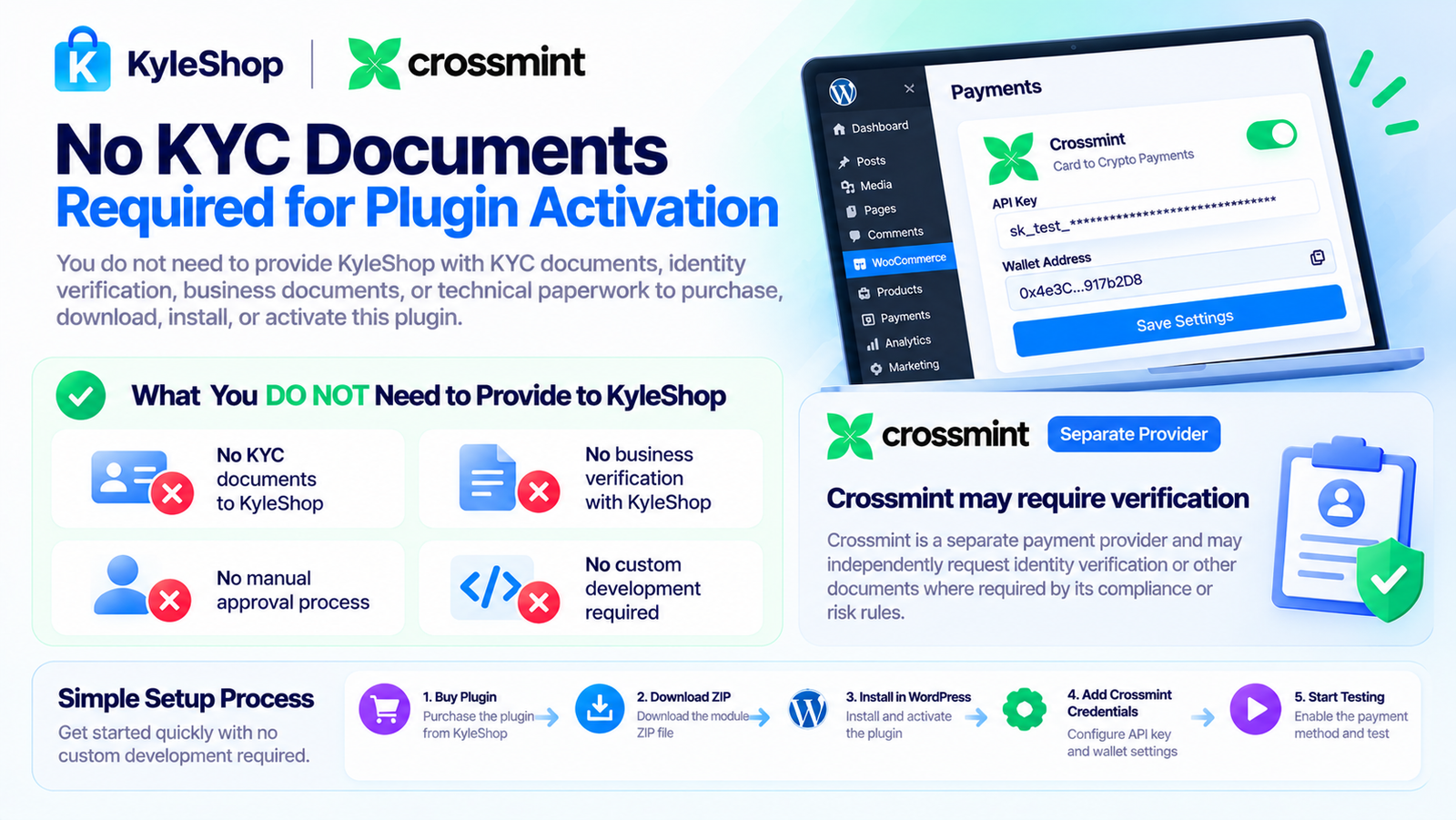
Buy Plugin → Download ZIP → Install in WordPress → Add Crossmint Credentials → Configure Wallet → Start Testing
There is no manual KyleShop approval process required before you can install the plugin.
No KYC documents to KyleShop.
No business verification with KyleShop.
No custom development required.
No complicated activation process.
Crossmint itself may separately apply its own verification or compliance requirements where required by its service.
Your customer does not need to understand blockchain technology.
They simply: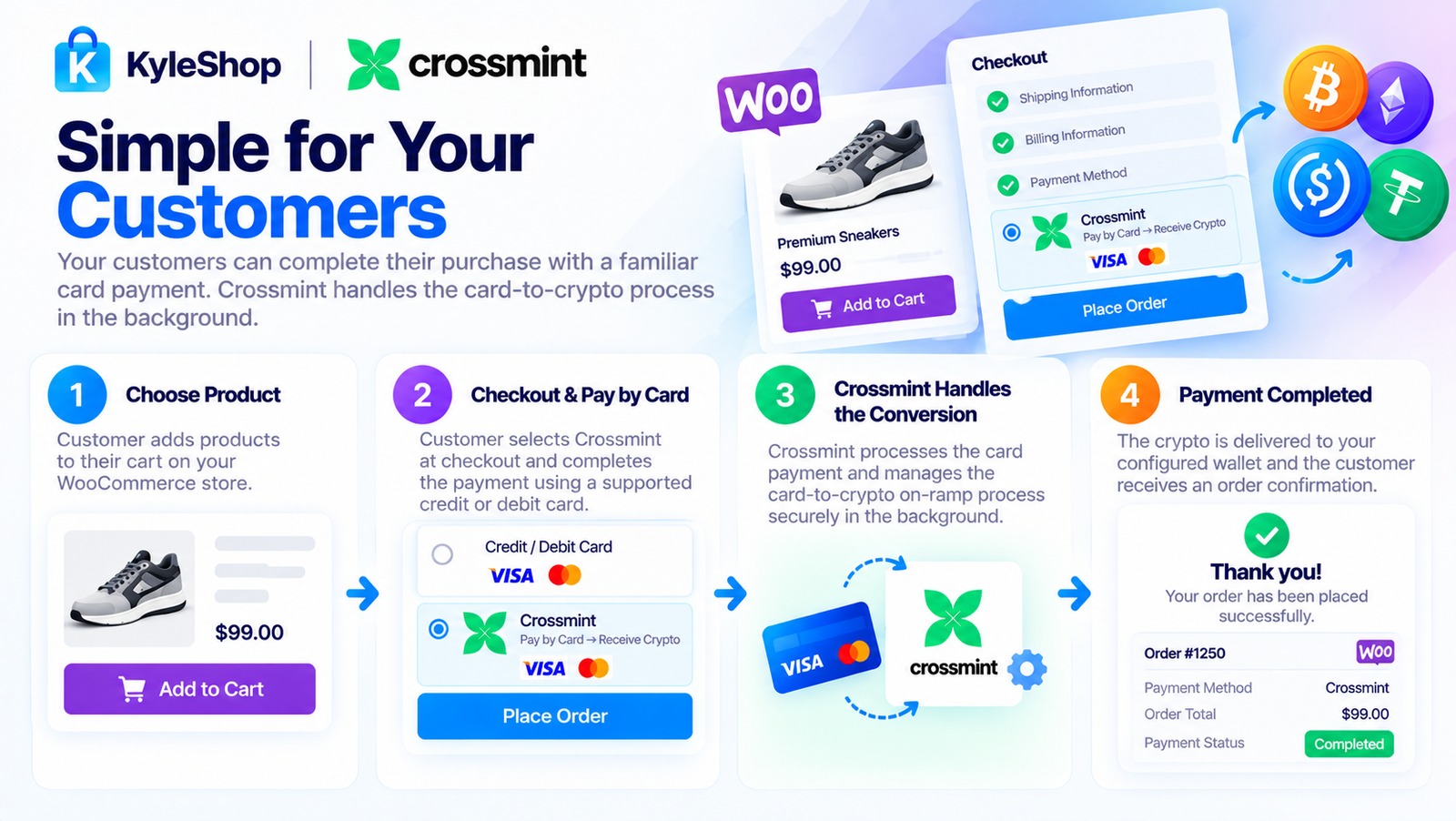
Choose Product → Checkout → Pay by Card → Payment Completed
Crossmint handles the on-ramp process behind the transaction.
You do not need to build your own payment gateway or card-to-crypto infrastructure.
Install the plugin, connect your Crossmint account, configure your wallet/payment settings, and enable the gateway in WooCommerce.
No custom coding is required for normal setup.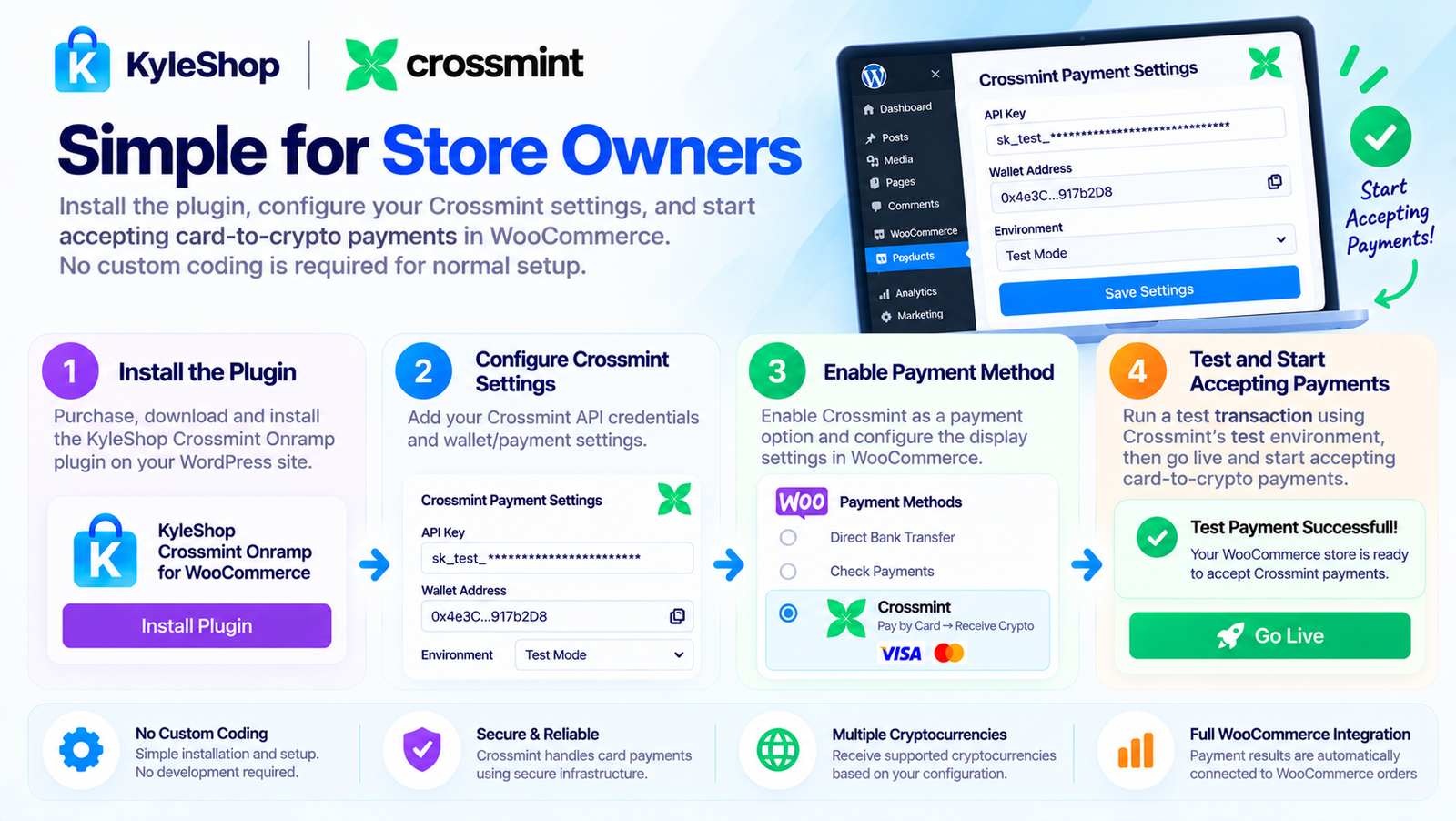
It lets your WooCommerce customers pay using a supported credit or debit card while Crossmint handles the card-to-crypto on-ramp process.
The resulting crypto is delivered according to your configured wallet settings.
Yes. The plugin is designed to provide customers with a familiar card-payment experience while Crossmint handles the crypto conversion behind the transaction.
No.
Customers start by paying with their supported card. Crossmint handles the card-to-crypto process.
No.
KyleShop does not require you to submit KYC documents or identity verification to purchase, download, install, or activate the plugin.
Crossmint may separately apply its own compliance requirements where applicable.
No business documents are required by KyleShop to purchase and install the plugin.
You simply purchase the plugin, download it, install it in WordPress, and configure your Crossmint credentials.
The cryptocurrency is delivered according to the wallet and payment configuration connected to your Crossmint setup.
Successful purchases remain connected to WooCommerce → Orders, allowing you to manage them through your normal WordPress dashboard.
No custom coding is required for normal installation.
Simply:
Install → Activate → Add Crossmint Credentials → Configure Wallet → Enable Payment Gateway
You need:
Yes.
You can configure the plugin using the appropriate Crossmint testing/staging environment before switching to production.
No KyleShop monthly subscription is required for this plugin.
You purchase the plugin once.
Crossmint's own transaction, network, or service fees are separate.
Crossmint processes the payment and on-ramp transaction.
After successful processing:
Crypto is delivered → WooCommerce order updates → You manage the order normally
Yes.
Once your KyleShop payment is confirmed, the plugin ZIP becomes available from your KyleShop customer dashboard.
Share your experience. A name is enough — no account is required.
4.4 average · 19 reviews
Isabella Morgan
6 days ago
The plugin offers a clear card-to-crypto checkout experience and the configuration interface is user friendly.
Michael Turner
6 days ago
I was able to configure the Crossmint integration without making major changes to my WooCommerce store.
Grace Mitchell
6 days ago
Good documentation and a clean setup process. More screenshots in the guide would be helpful.
Alexander Reed
6 days ago
Installation was simple in my development store, and the payment method displayed as expected.
Amelia Foster
6 days ago
The checkout page looks modern and the payment instructions are easy for customers to follow.
Henry Cooper
6 days ago
I like the integration. It would be useful to have additional design settings for the payment description.
Mia Robinson
6 days ago
The settings page is simple to navigate and does not feel complicated.
Benjamin
6 days ago
The card-to-crypto payment flow is clearly presented. Good option for testing crypto checkout integration.
Charlotte Evans
6 days ago
The plugin has a clean interface. I would appreciate a more detailed troubleshooting guide.
Haris
6 days ago
Easy to install and configure in my test store. The checkout layout works well on desktop.
Liam
6 days ago
The plugin dashboard is organized and the Crossmint settings are easy to find.
Lucas
6 days ago
The checkout experience is promising. A few more setup examples would make it even better.
Ava
6 days ago
The payment instructions are clear and the integration feels professional.
Emma Thomson
6 days ago
I like how the card payment option fits into the existing WooCommerce checkout design.
Noah Aderson
6 days ago
Good plugin overall. The setup took a little time, but the documentation helped me finish it.
Ethan Brooks
6 days ago
I tested the plugin with my WooCommerce demo store. The configuration steps were simple and well explained.
Sophia
6 days ago
The payment process is easy to understand. The card payment screen looks professional on mobile.
Danial
6 days ago
The installation went smoothly. I would like to see more customization options for the checkout button.
Darius Roth
6 days ago
The plugin setup was straightforward, and the checkout flow looks clean. Testing the card-to-crypto process was easy.
Need help installing this plugin on WordPress? Contact KyleShop and we will guide you. Provider-specific setup is listed on this product page.
Contact supportItem details
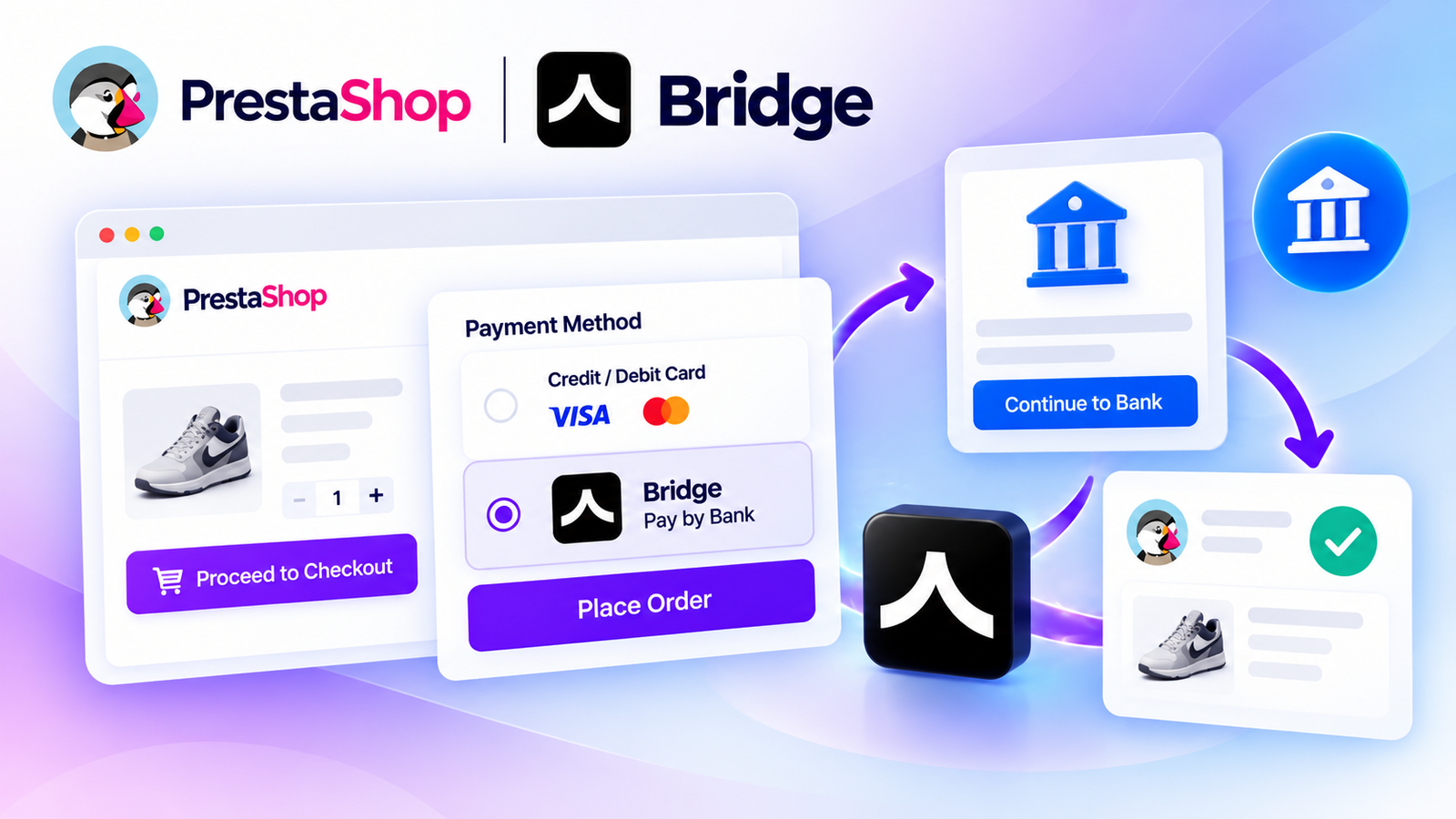
Accept secure bank payments directly on your PrestaShop store using Bridge API. Give customers a convenient Pay by Bank checkout experience with payment tracking, API integration, and supported bank-payment flows.
$250
No reviews yet
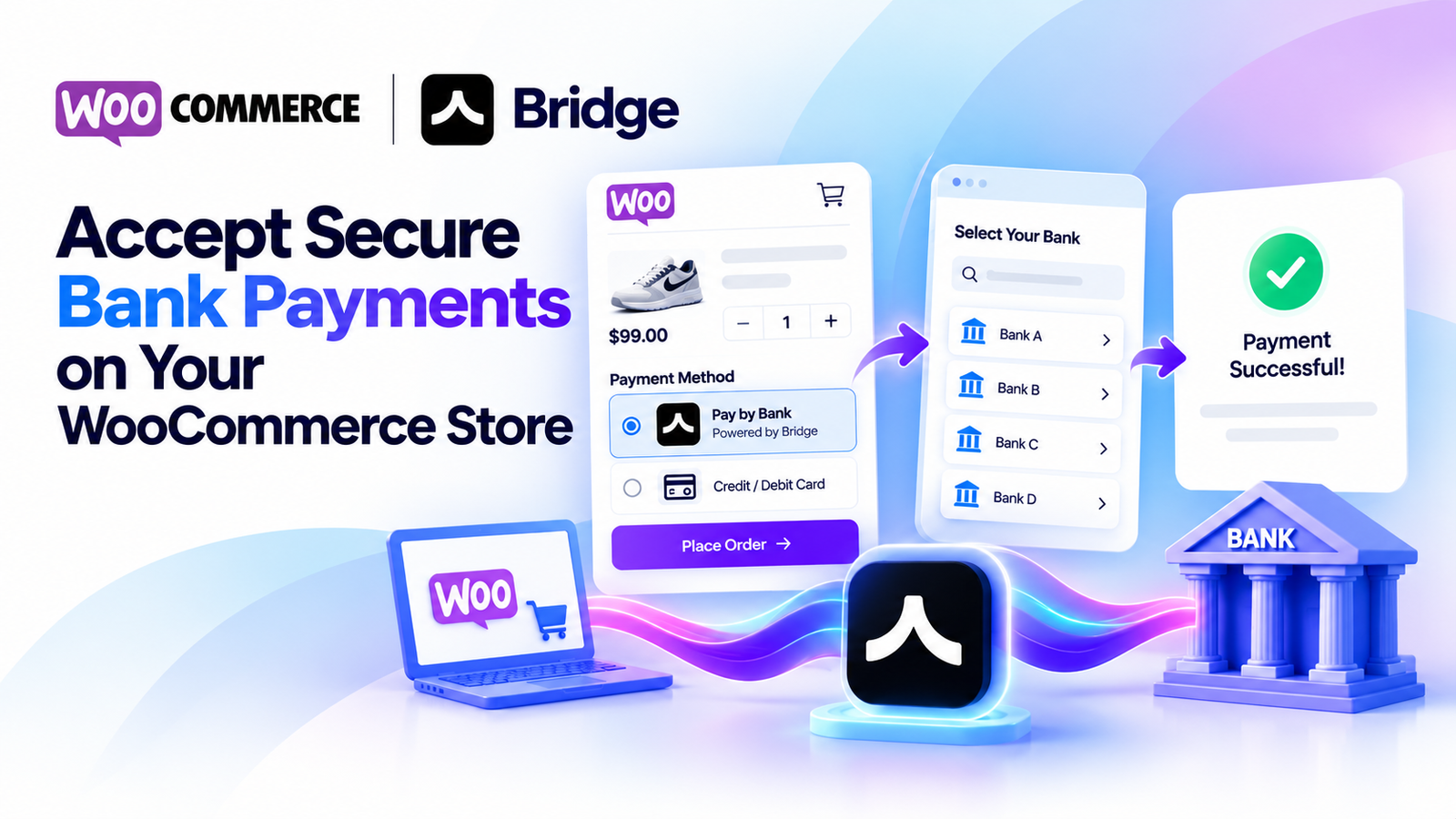
Accept secure bank payments directly from your WooCommerce checkout using Bridge API. Offer customers a simple pay-by-bank experience with payment status tracking, sandbox testing, and WooCommerce HPOS compatibility.
$250
No reviews yet
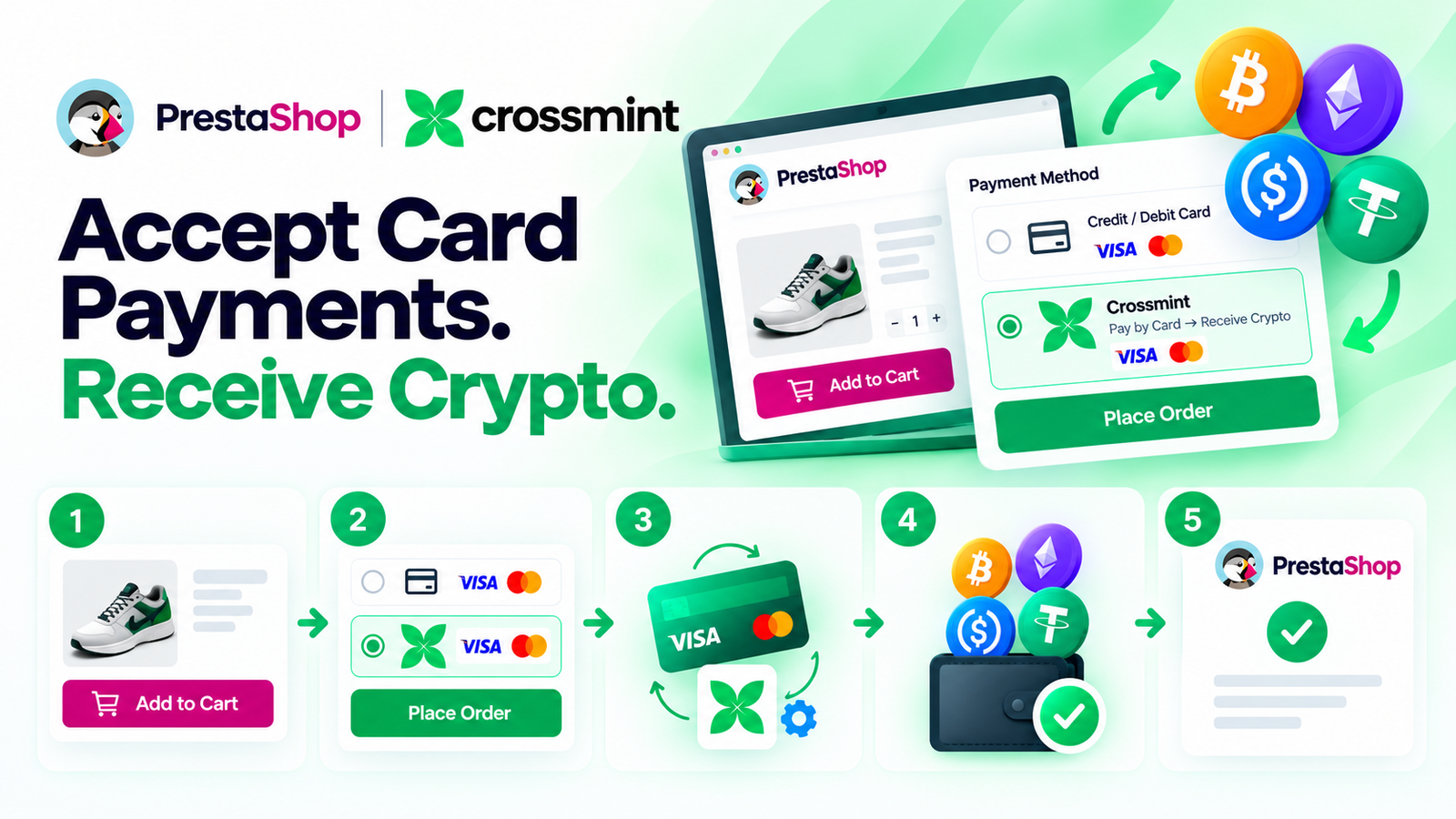
Let your PrestaShop customers pay with a credit or debit card while Crossmint handles the card-to-crypto conversion and delivers crypto to your configured wallet. Simple checkout, easy setup, and no KYC or business documents required by KyleShop to purchase or activate the plugin.
$250
No reviews yet

Let your PrestaShop customers pay by card while PayRam handles the card-to-crypto process and settles crypto directly to your configured wallet. Self-hosted gateway, simple checkout, automatic order updates, and no PayRam signup or KYB approval required.
$250
No reviews yet