Oliver brunt
1 week ago
The plugin setup looks straightforward. I would appreciate a more detailed guide explaining the wallet configuration and supported networks.
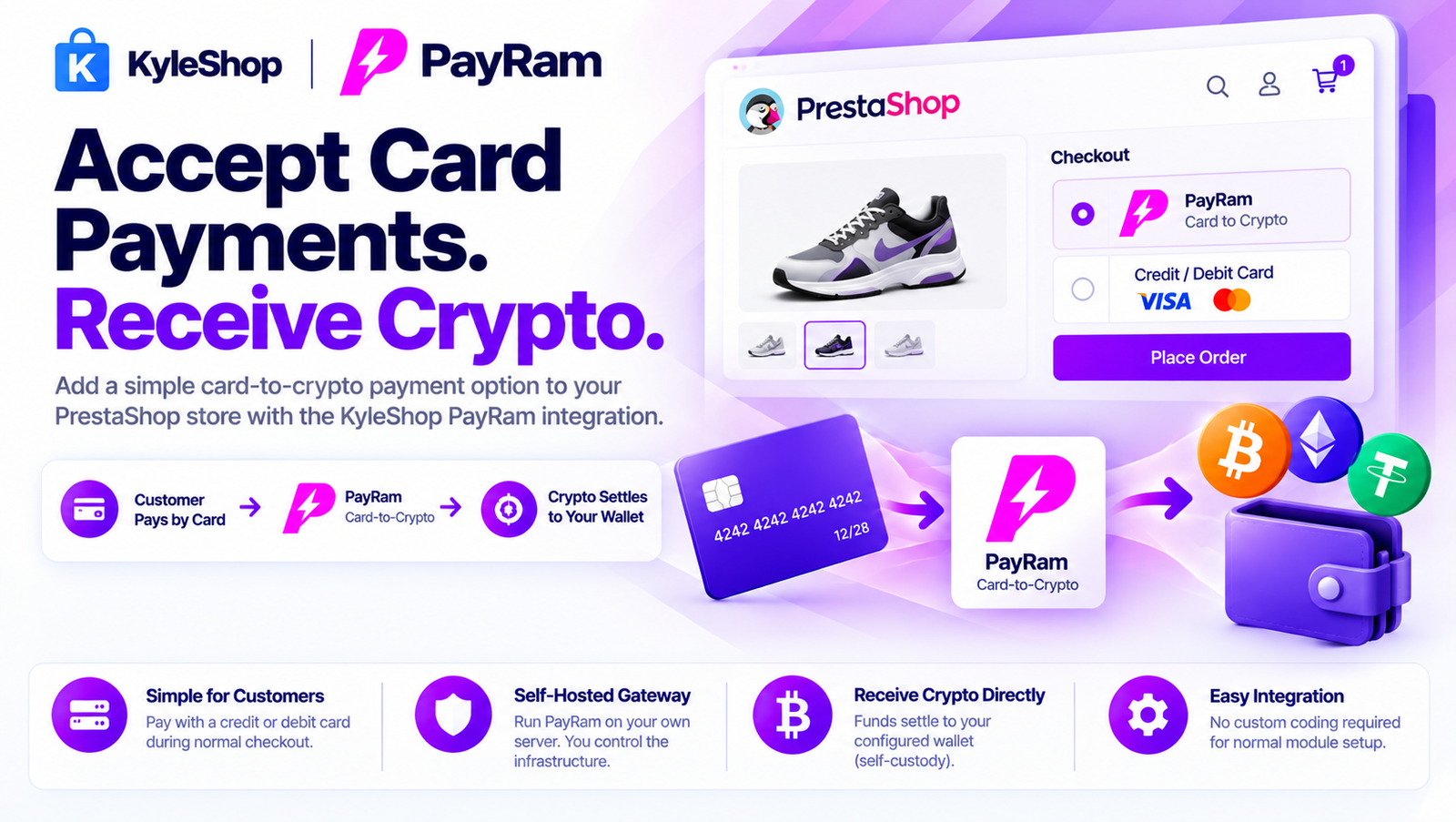
Add a simple card-to-crypto payment option to your PrestaShop store with the KyleShop PayRam integration.
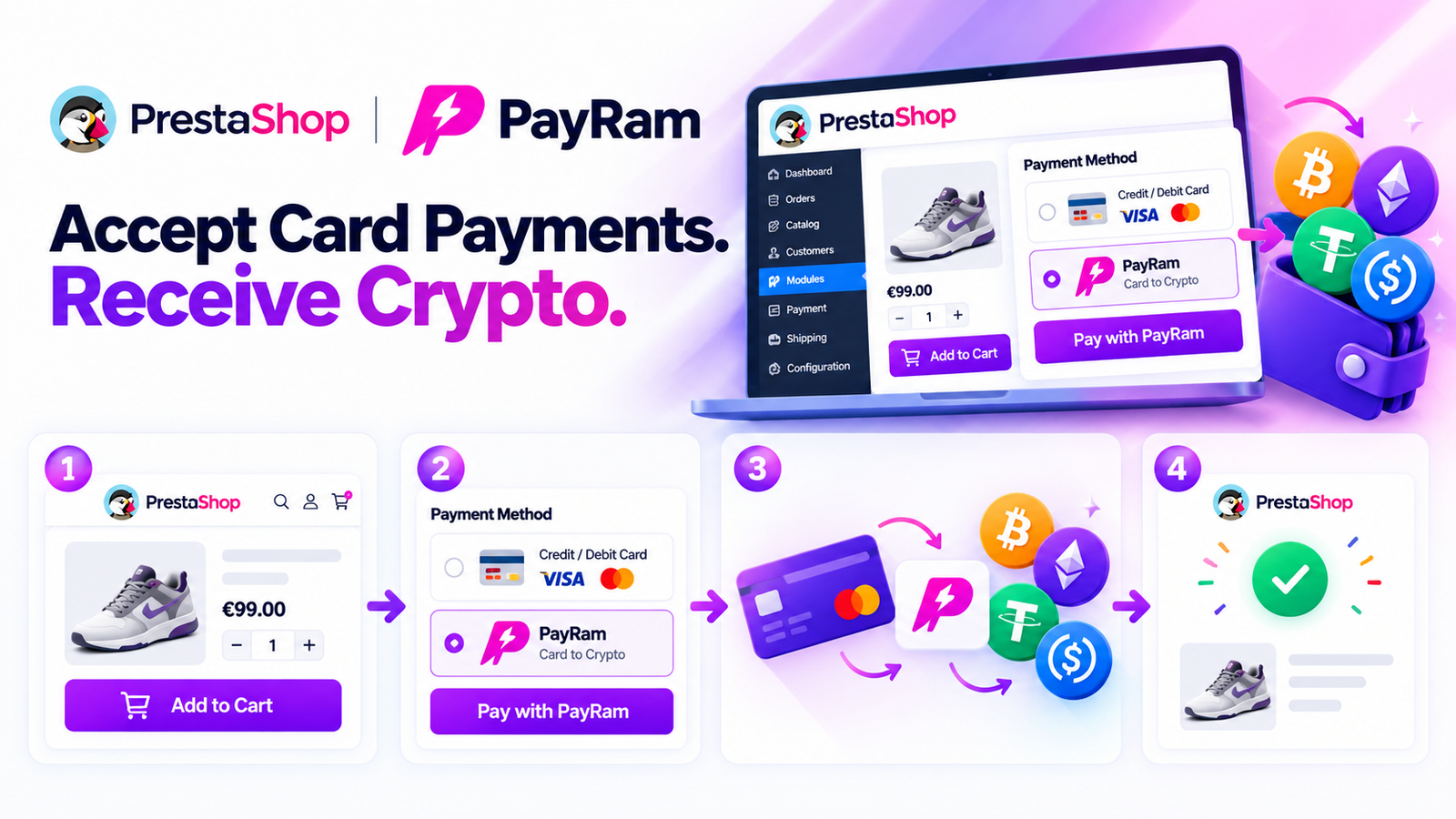
Your customer shops normally, adds products to the cart, and proceeds to checkout.
At checkout, the customer selects PayRam and completes the supported card payment flow.
PayRam handles the card-to-crypto process behind the transaction, and the resulting cryptocurrency or stablecoin is settled directly to the wallet configured on your self-hosted PayRam gateway.
Customer Pays by Card → PayRam Card-to-Crypto → Crypto Settles to Your Wallet
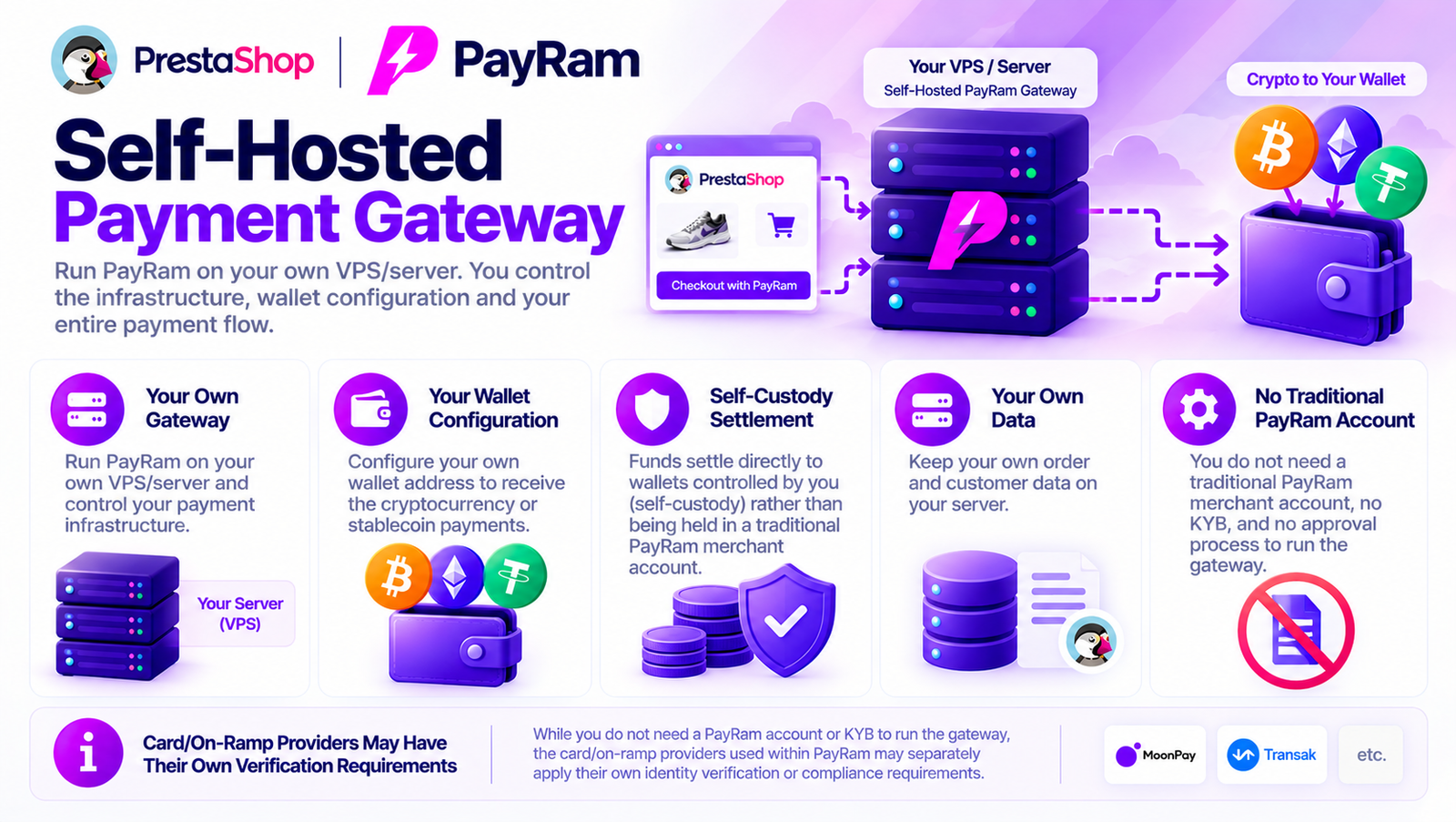
PayRam is designed as self-hosted payment infrastructure. You run the gateway on your own server, control the wallet configuration, and funds settle wallet-to-wallet rather than being held in a traditional PayRam merchant account. PayRam
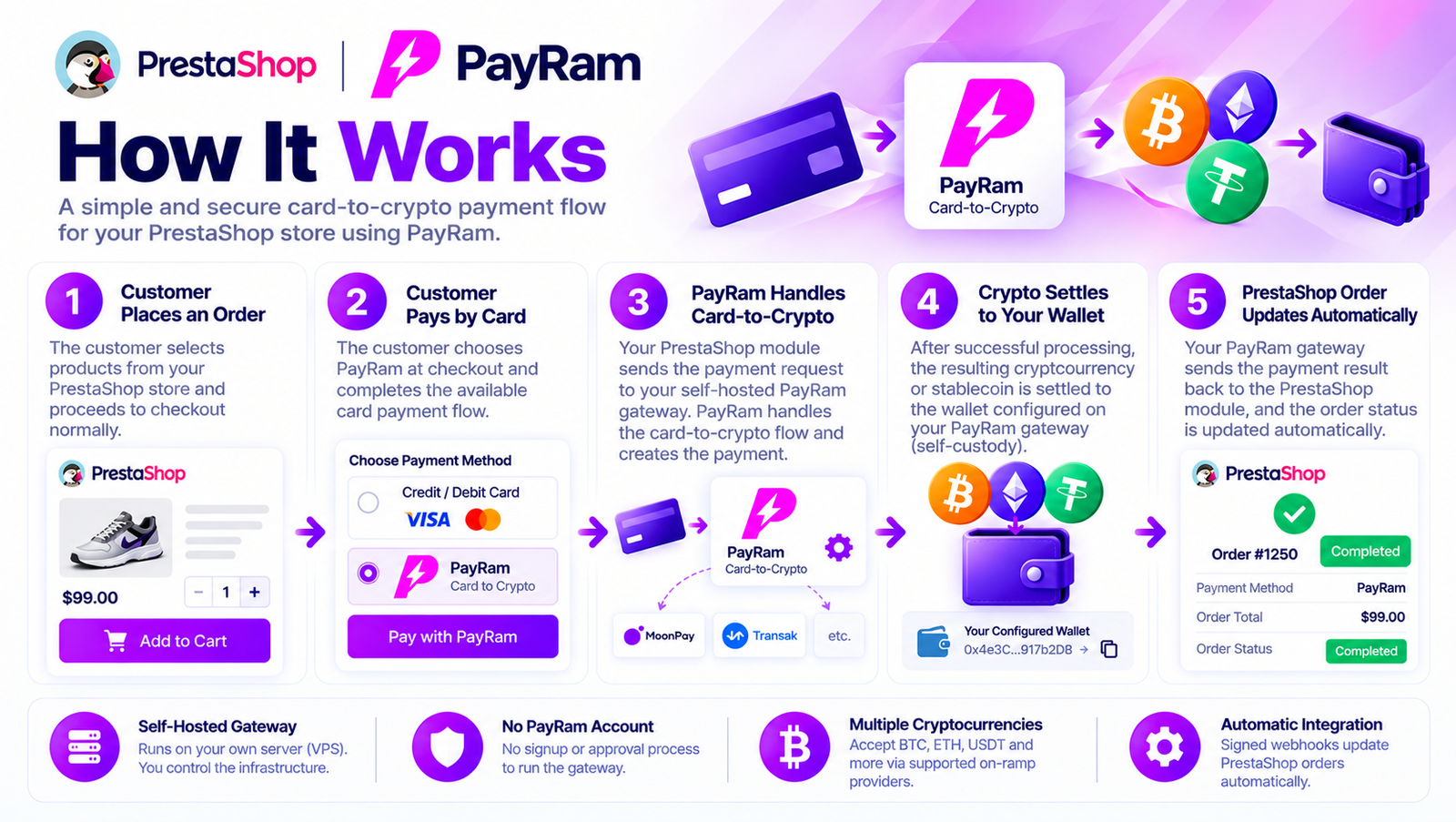
The customer selects products from your PrestaShop store and proceeds to checkout normally.
The customer chooses PayRam and completes the available card payment flow.
Your PrestaShop module sends the payment request to your own PayRam gateway.
PayRam handles the card-to-crypto flow and creates the payment.
After successful processing, the resulting cryptocurrency or stablecoin is settled according to the wallet configuration on your PayRam gateway.
PayRam describes its architecture as self-custody, with funds settling directly to wallets controlled by the merchant. PayRam
After payment confirmation, your PayRam gateway sends the payment result back to the KyleShop PrestaShop module.
The related PrestaShop order can then be updated automatically.
PayRam’s integration model uses project API keys to create payments and signed webhooks to confirm them. PayRam
You do not need to create a traditional PayRam merchant account or wait for PayRam KYB approval to run the self-hosted gateway.
PayRam is software you deploy on your own VPS/server. Its official setup states there is no PayRam signup, no approval process, and no PayRam KYB onboarding for operating the gateway itself. PayRam
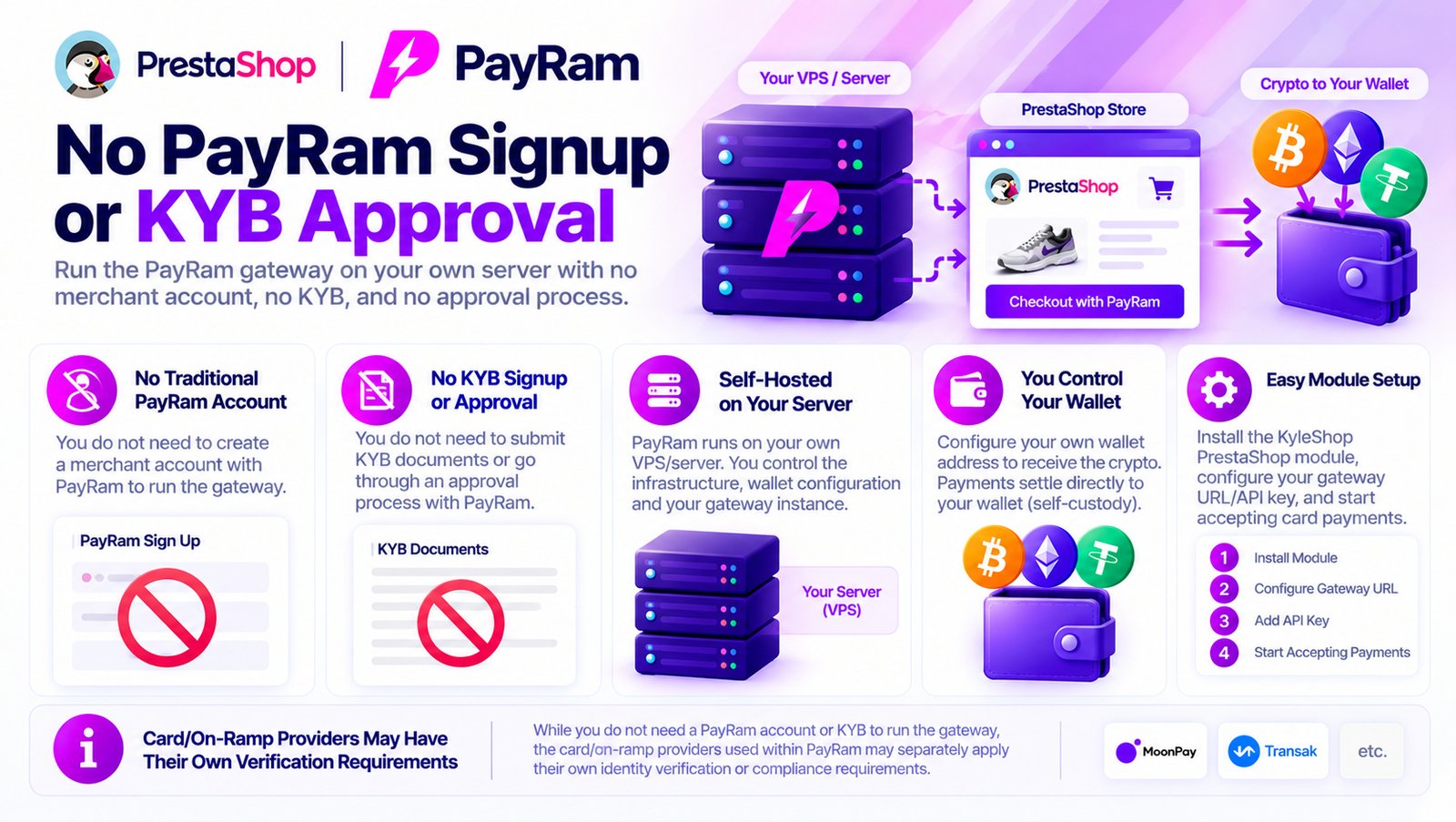
For this payment gateway:
No KYC documents required.
No business documents required.
No manual activation approval.
No custom coding required for normal module setup.
PayRam is different from a normal hosted payment processor.
You run PayRam on your own VPS/server.
That gives you:

PayRam officially describes the gateway as self-hosted and designed to settle funds directly to wallets controlled by the operator.

It connects your PrestaShop store to your self-hosted PayRam gateway. Your customer can use the supported card-to-crypto payment flow while the resulting crypto settles to the wallet configured on your PayRam server.
Yes. PayRam supports card-to-crypto on-ramp payments, allowing customers to start the transaction using a credit or debit card while the payment is converted to crypto.
No when they use the card-to-crypto payment option. The customer starts with a card payment and the on-ramp handles the conversion to crypto.
The resulting cryptocurrency or stablecoin settles according to the wallet configuration on your self-hosted PayRam gateway.
No. PayRam is designed as self-hosted, self-custody payment infrastructure. Funds settle to wallets you control instead of being held in a traditional PayRam merchant account.
No. PayRam does not require a traditional merchant account. You deploy the gateway on your own server and connect the PrestaShop module to that gateway.
No PayRam KYB approval is required to deploy and operate the self-hosted gateway itself.
No. This payment gateway does not require KYC or identity documents.
No. This payment gateway does not require business documents.
Yes. PayRam is self-hosted and runs on your own VPS/server. Your PrestaShop module communicates with that gateway.
Successful payments remain connected to your PrestaShop Orders so you can manage customer purchases from the normal PrestaShop Back Office.
Your PrestaShop module creates the payment through your PayRam gateway. After the transaction is confirmed, PayRam sends the payment result through the configured webhook so the related PrestaShop order can be updated.
No custom coding is required for normal setup. Install the PrestaShop module, enter your PayRam gateway URL and project API key, configure the required webhook and wallet settings, and enable the payment method.
Share your experience with this plugin. Your honest feedback helps other store owners.
Help the community
4.9 average ยท 18 reviews
Oliver brunt
1 week ago
The plugin setup looks straightforward. I would appreciate a more detailed guide explaining the wallet configuration and supported networks.
Jammy
1 week ago
I like how the module connects PrestaShop with the PayRam payment system. The configuration fields are organized and easy to follow.
David Mitchell
1 week ago
The PayRam module adds a crypto payment option to PrestaShop without making the checkout complicated. The payment instructions are clear and easy to understand.
Need help installing this plugin on PrestaShop? Contact KyleShop and we will guide you. Provider-specific setup is listed on this product page.
Contact supportItem details
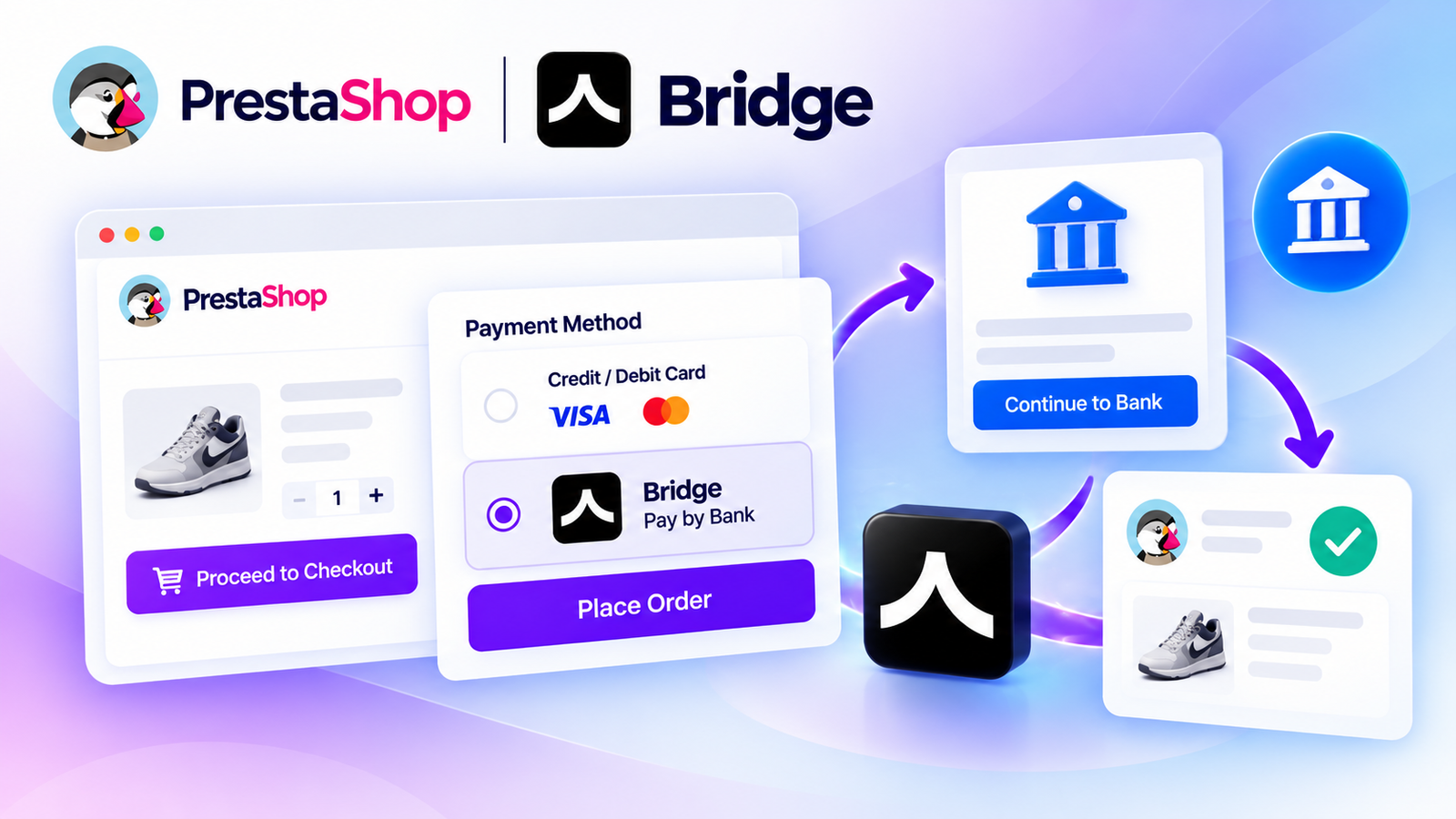
Accept secure bank payments directly on your PrestaShop store using Bridge API. Give customers a convenient Pay by Bank checkout experience with payment tracking, API integration, and supported bank-payment flows.
$250
No reviews yet
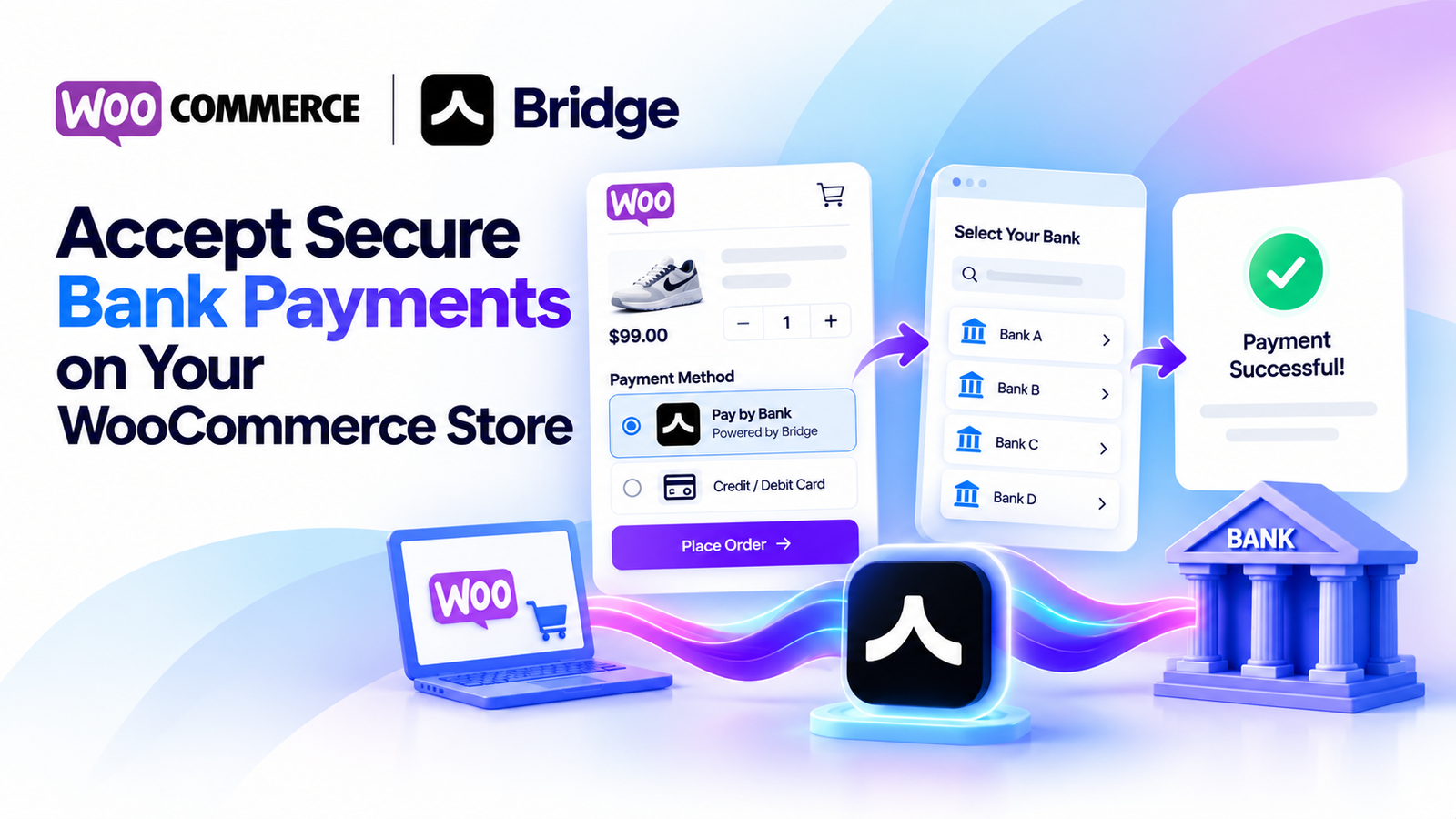
Accept secure bank payments directly from your WooCommerce checkout using Bridge API. Offer customers a simple pay-by-bank experience with payment status tracking, sandbox testing, and WooCommerce HPOS compatibility.
$250
No reviews yet
Let your PrestaShop customers pay with a credit or debit card while Crossmint handles the card-to-crypto conversion and delivers crypto to your configured wallet. Simple checkout, easy setup, and no KYC or business documents required.
$250
No reviews yet
Let your customers pay with a credit or debit card while Crossmint handles the card-to-crypto conversion and sends crypto to your configured wallet. Simple WooCommerce checkout, easy setup, and no KYC or identity documents required.
$250
No reviews yet