
Aslam madeen
6 days ago
I couldn't complete a payment during my first test because the selected wallet didn't have enough funds for network fees. A clear pre-check or warning would have saved time.
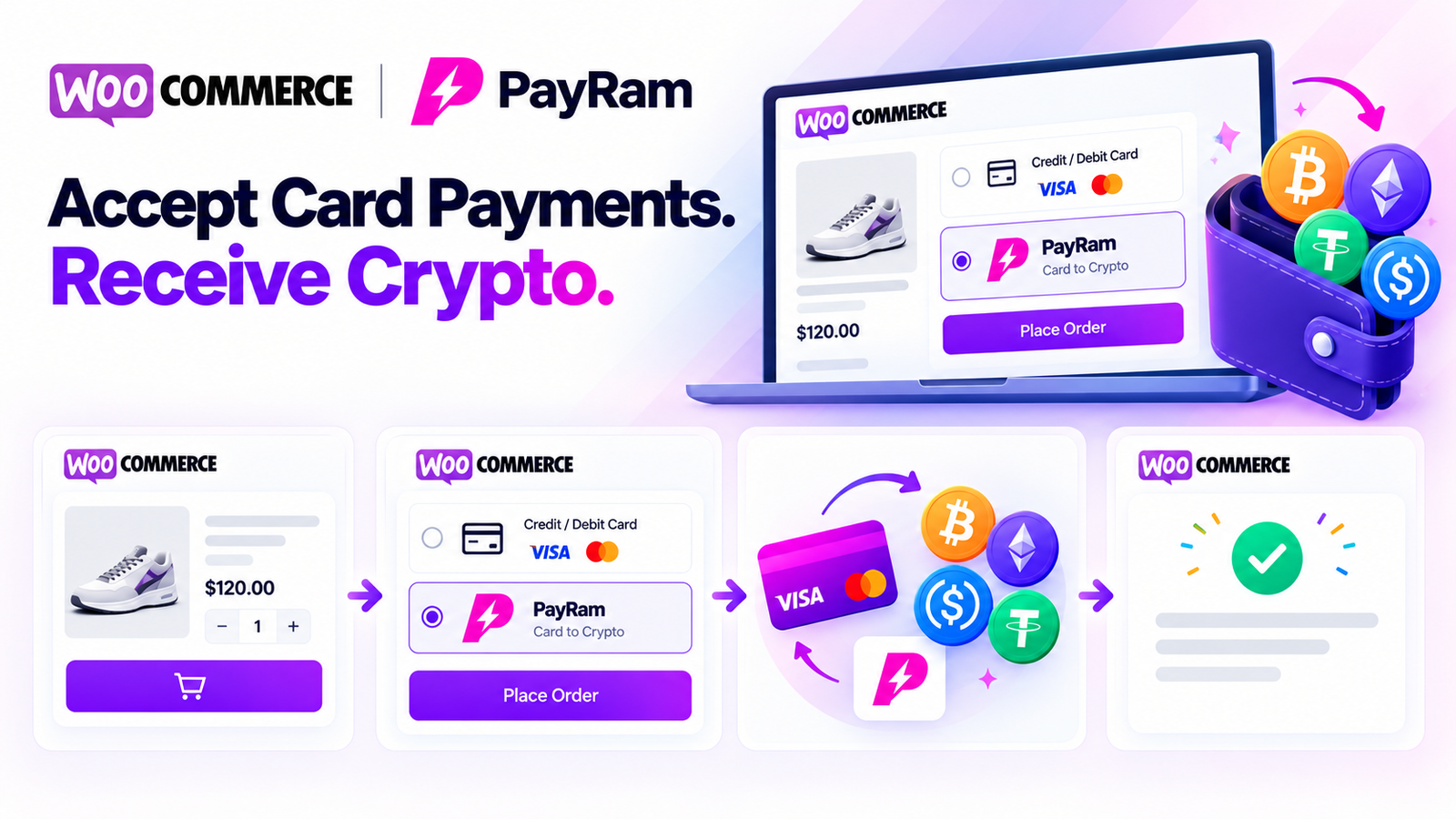
Add a simple card-to-crypto payment option to your WooCommerce store with the KyleShop PayRam integration.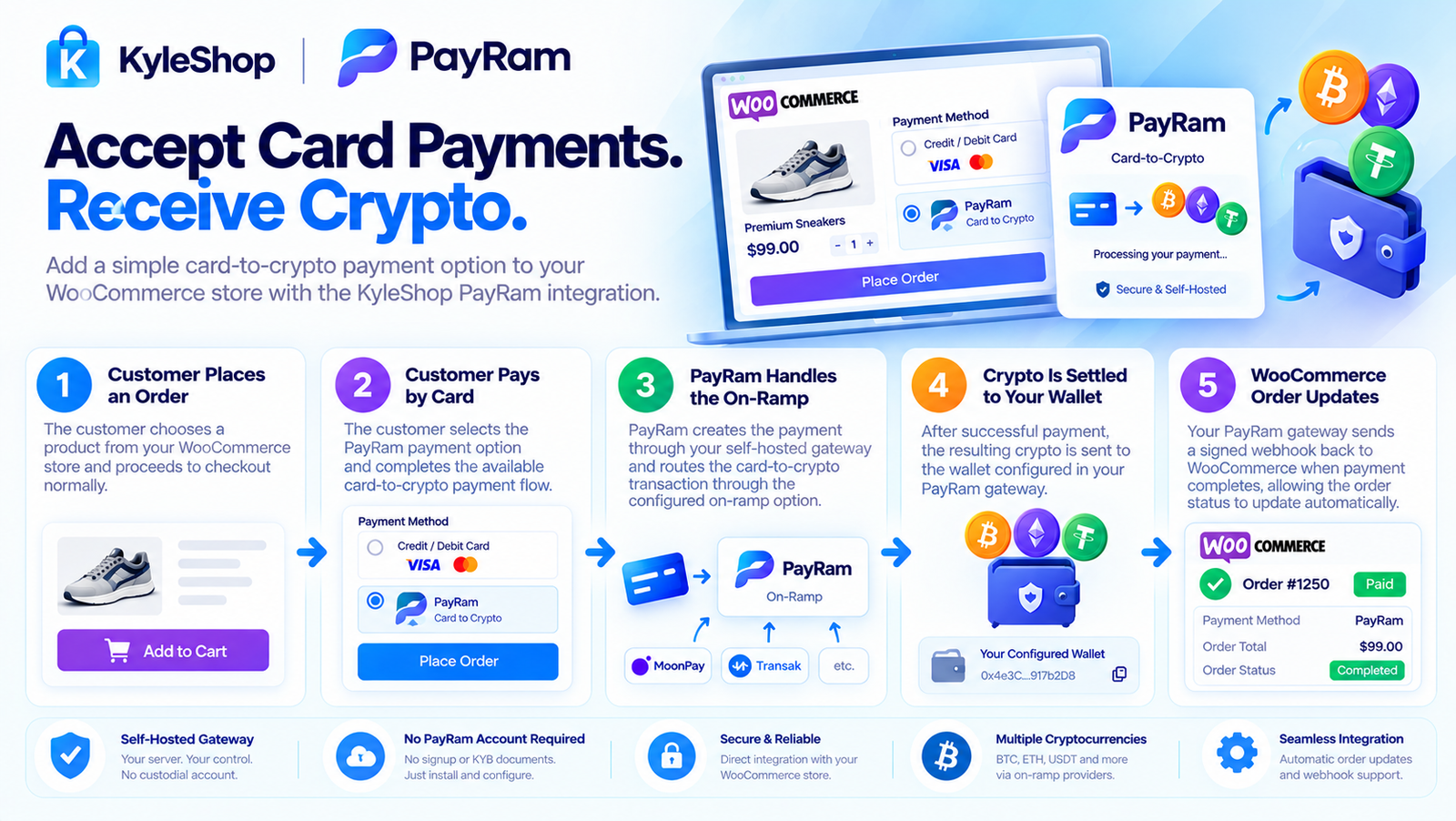
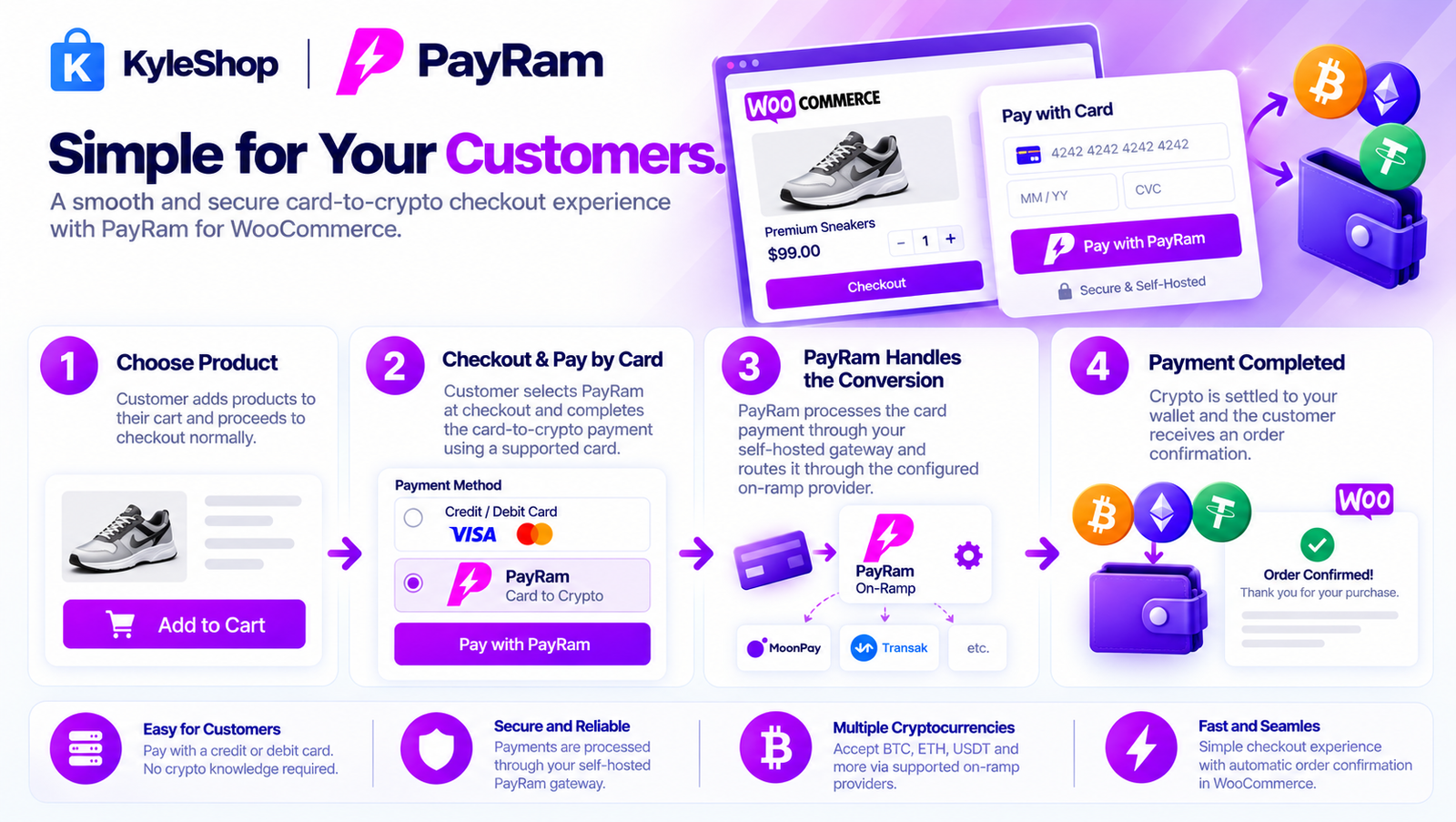
Your customer shops normally, proceeds to checkout, and selects the card payment option.
PayRam handles the payment flow through its card-to-crypto on-ramp functionality. Once the payment is completed, the resulting cryptocurrency or stablecoin is routed to the wallet configured on your PayRam gateway.
The simple flow is:
Customer Pays by Card → PayRam Card-to-Crypto → Crypto Settles to Your Wallet
PayRam is self-hosted, meaning the payment gateway runs on infrastructure you control rather than a traditional custodial payment account. PayRam
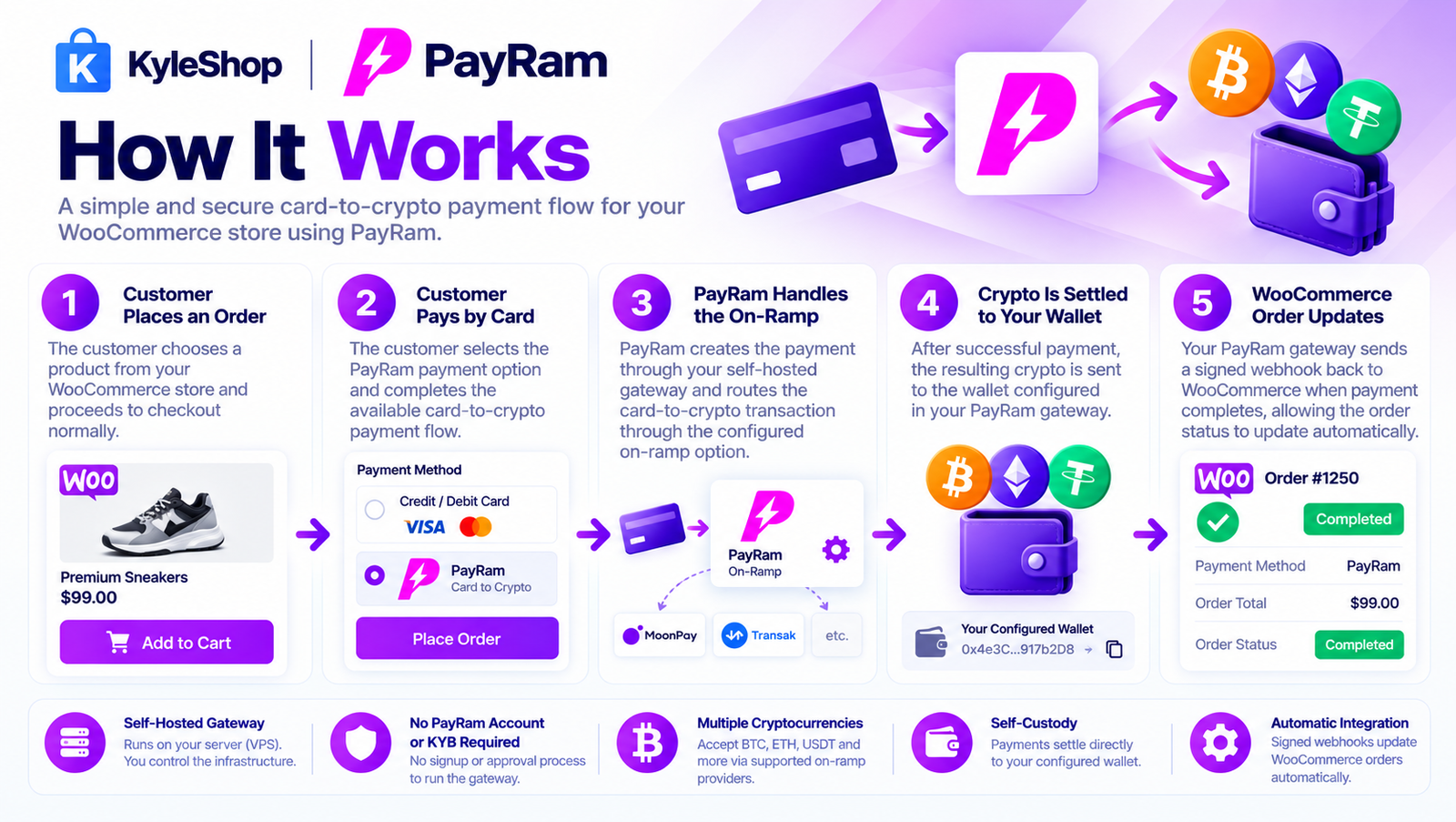
The customer chooses a product from your WooCommerce store and proceeds to checkout normally.
The customer selects the PayRam payment option and completes the available card-to-crypto payment flow.
PayRam creates the payment through your self-hosted gateway and routes the card-to-crypto transaction through the configured on-ramp option.
After successful payment, the resulting crypto is sent to the wallet configured in your PayRam gateway.
PayRam is designed around self-custody, so settlement goes to your wallet rather than being held in a PayRam custodial account. PayRam
Your PayRam gateway sends a signed webhook back to WooCommerce when payment completes, allowing the order status to update automatically. PayRam
You do not need to create a traditional merchant account with PayRam or submit KYB documents to PayRam just to run the gateway.
PayRam runs on your own VPS/server and connects directly to your WooCommerce store. PayRam's official setup describes the gateway as self-hosted with no signup and no approval process. PayRam
The setup is:
Install PayRam Gateway → Configure Wallet → Install WooCommerce Plugin → Add Gateway URL/API Key → Start Testing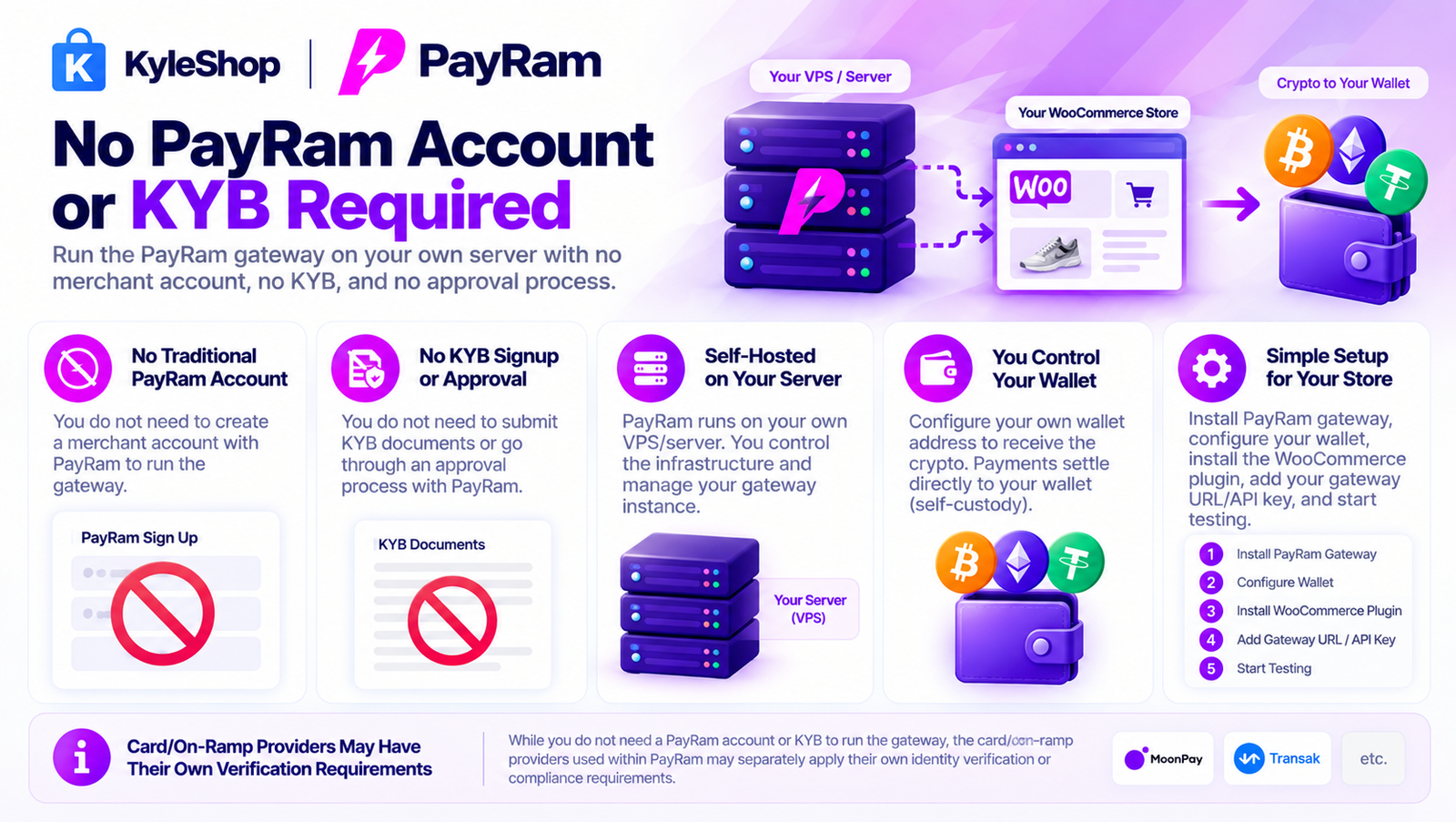
For the KyleShop plugin itself:
No KYC documents to KyleShop.
No business documents to KyleShop.
No custom development required for normal plugin integration.
Card/on-ramp providers used within PayRam may separately apply their own verification requirements.
Unlike a normal hosted payment processor, PayRam runs on a server that you control.
That means:
PayRam describes its WooCommerce integration as a bridge between WooCommerce and the merchant's own gateway rather than a custodial processor.
It connects your WooCommerce store with your self-hosted PayRam gateway so customers can use the available card-to-crypto payment flow while crypto settles to the wallet configured on your PayRam server.
Yes. PayRam supports card-to-crypto on-ramp payment options. Customers can start with a card payment while the payment flow converts and routes the resulting crypto to the configured wallet.
Not when using the card-to-crypto payment option. The customer starts with a card payment and the on-ramp handles the conversion to crypto.
The resulting cryptocurrency or stablecoin settles to the wallet configured on your PayRam gateway.
No. PayRam is designed as a self-hosted, self-custody gateway. Funds settle to your configured wallet rather than being held in a traditional PayRam merchant account.
No traditional PayRam merchant account is required. You deploy the PayRam gateway on your own server and connect WooCommerce to that gateway.
PayRam's self-hosted gateway does not require the traditional PayRam signup or KYB onboarding process. Individual card/on-ramp providers may still apply their own verification requirements.
Yes. PayRam is a self-hosted payment gateway and runs on your own VPS/server. The WooCommerce plugin connects your store to that PayRam gateway.
Yes. PayRam is a self-hosted payment gateway and runs on your own VPS/server. The WooCommerce plugin connects your store to that PayRam gateway.
Successful payments are connected to WooCommerce Orders. PayRam sends a signed webhook to your store so the order can update automatically after payment confirmation.
No custom coding is required for normal WooCommerce integration. Install the plugin, enter your PayRam gateway URL and API key, configure the webhook, and enable the payment method.
You need your PayRam gateway URL, project API key, configured crypto wallet/payment settings, and the WooCommerce webhook connection.
PayRam currently lists support for stablecoins such as USDT and USDC, together with assets including BTC, ETH and TRX across supported networks. PayRam
For your product page, I would avoid hard-coding a long token list because PayRam can add or change supported networks over time.
No KyleShop monthly subscription is required for this plugin. The KyleShop plugin is purchased once. Your VPS/server costs and any external on-ramp, network, or provider fees are separate.
PayRam confirms the transaction, the crypto settles according to your wallet configuration, and a signed webhook updates the WooCommerce order automatically.
Yes. After your KyleShop payment is successfully confirmed, the plugin ZIP becomes available from your KyleShop customer dashboard.
Share your experience. A name is enough — no account is required.
4.6 average · 18 reviews
Aslam madeen
6 days ago
I couldn't complete a payment during my first test because the selected wallet didn't have enough funds for network fees. A clear pre-check or warning would have saved time.
Ollay kat
6 days ago
The plugin provides a convenient way to add a crypto payment option without building everything from scratch. The admin interface is simple and well structured.
Endo Troway
6 days ago
The integration is promising. I'd like to see a setup wizard that checks the API connection, receiving wallet, and network configuration.
Evans nad
6 days ago
The payment process could use clearer messages when a transaction is pending. Customers may think something went wrong if their order is not confirmed immediately.
Rubby nato
6 days ago
I appreciate the idea of managing crypto checkout through WooCommerce. The payment option is easy to recognize alongside other payment methods.
Kamaal rana
6 days ago
The crypto checkout page looks modern. It would be helpful to display an estimated payment confirmation time so customers know what to expect.
Shomail jd
6 days ago
I found the initial setup more complicated than expected. There are several details to configure in PayRam before the checkout can be tested properly.
Reena waayne
6 days ago
Installation was straightforward and the plugin didn't require major changes to my WooCommerce store. The available configuration options are clear.
shane poloc
6 days ago
The payment flow is understandable, but I would like clearer information about what happens when customers send the wrong amount or use an unsupported network.
Alex Ray
6 days ago
The payment flow is understandable, but I would like clearer information about what happens when customers send the wrong amount or use an unsupported network.
Ragnorr ray
6 days ago
The checkout integration looks clean on both desktop and mobile. I especially like that customers can see the payment details on a dedicated page.
younis hameed
6 days ago
The PayRam settings are easy to locate in WooCommerce. I would like an option to customize the payment instructions shown to customers.
Sammy tondo
6 days ago
I expected to test the whole payment process immediately, but the demo asked for network funds. The difference between sandbox and live payments needs to be explained more clearly.
Ethan manay
6 days ago
A useful option for stores exploring crypto payments. The integration feels much simpler than developing a custom WooCommerce payment gateway.
Michael Carter
6 days ago
The payment page looks professional. One improvement would be showing customers more details about network fees before they start the payment.
Oliver Bennett
6 days ago
The plugin installed without problems, but I had trouble understanding which blockchain network to use. The documentation should clearly explain supported networks and transaction fees.
Daniel Brooks
6 days ago
The plugin works nicely in my test environment, but setting up the receiving wallet was a little confusing at first. Better instructions for beginners would help.
Robert Miller
6 days ago
The PayRam plugin was easy to install on WooCommerce. The payment option looks clean at checkout. I would recommend adding a short video showing the complete setup process.
Need help installing this plugin on WordPress? Contact KyleShop and we will guide you. Provider-specific setup is listed on this product page.
Contact supportItem details
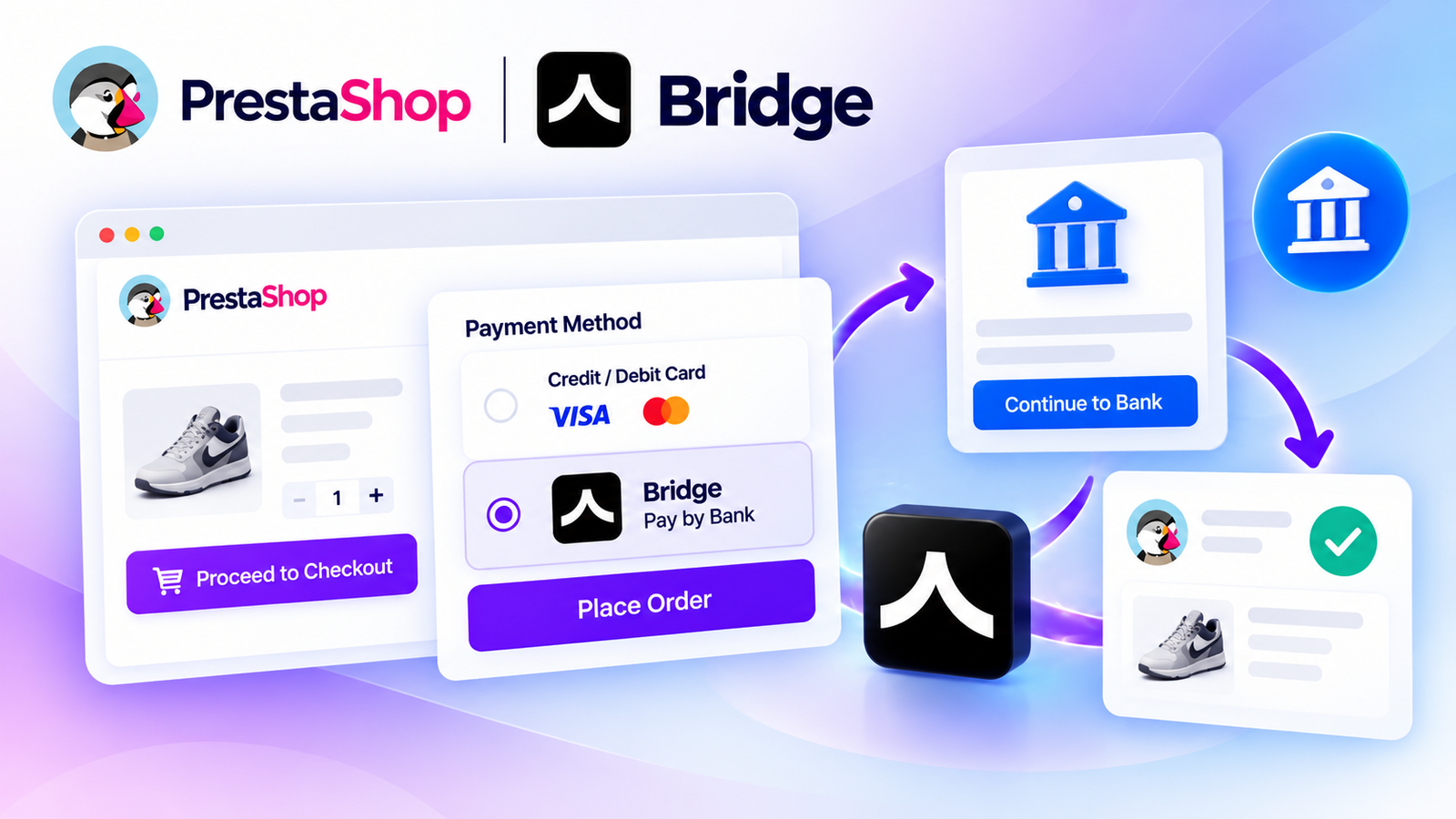
Accept secure bank payments directly on your PrestaShop store using Bridge API. Give customers a convenient Pay by Bank checkout experience with payment tracking, API integration, and supported bank-payment flows.
$250
No reviews yet
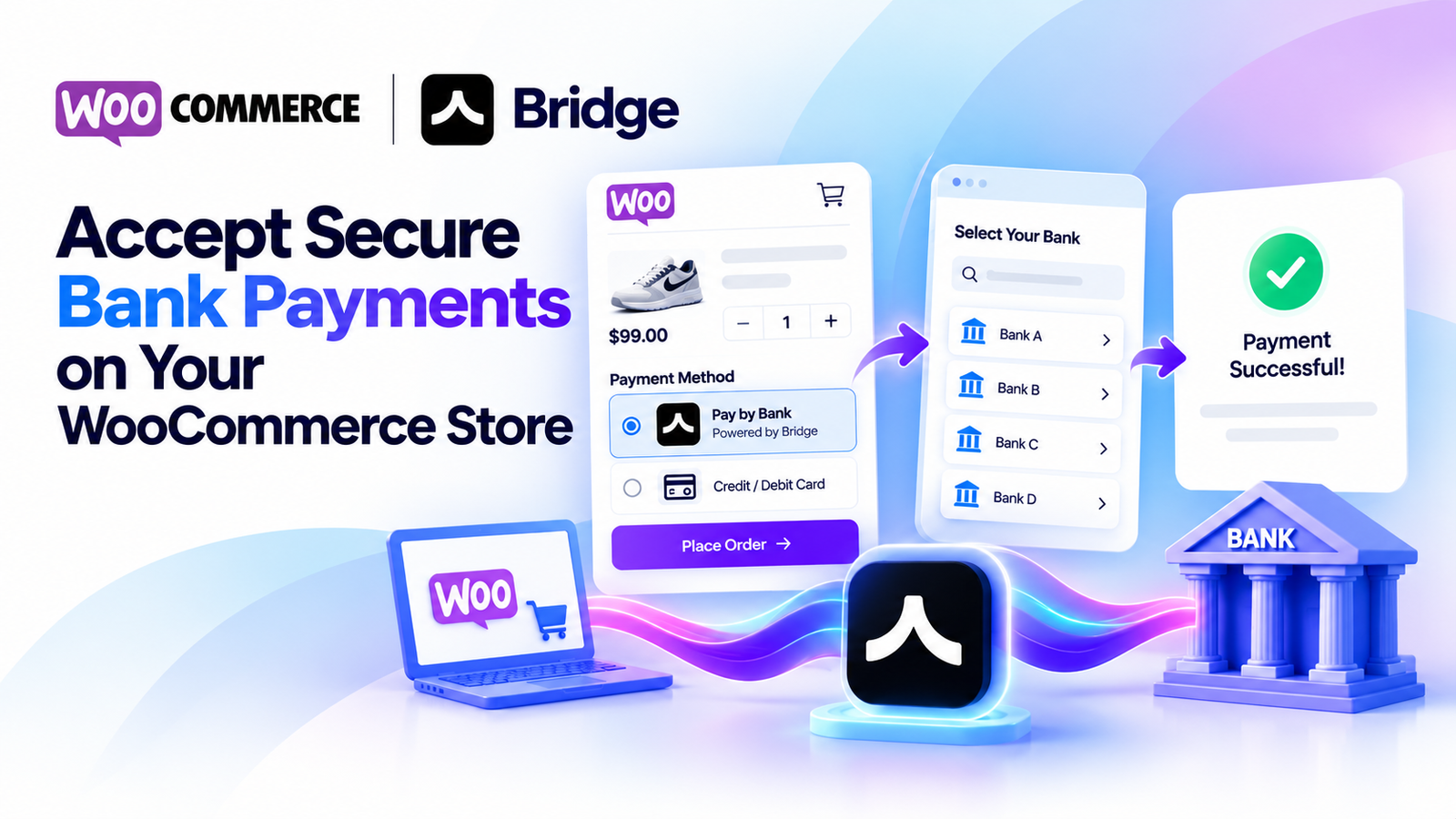
Accept secure bank payments directly from your WooCommerce checkout using Bridge API. Offer customers a simple pay-by-bank experience with payment status tracking, sandbox testing, and WooCommerce HPOS compatibility.
$250
No reviews yet
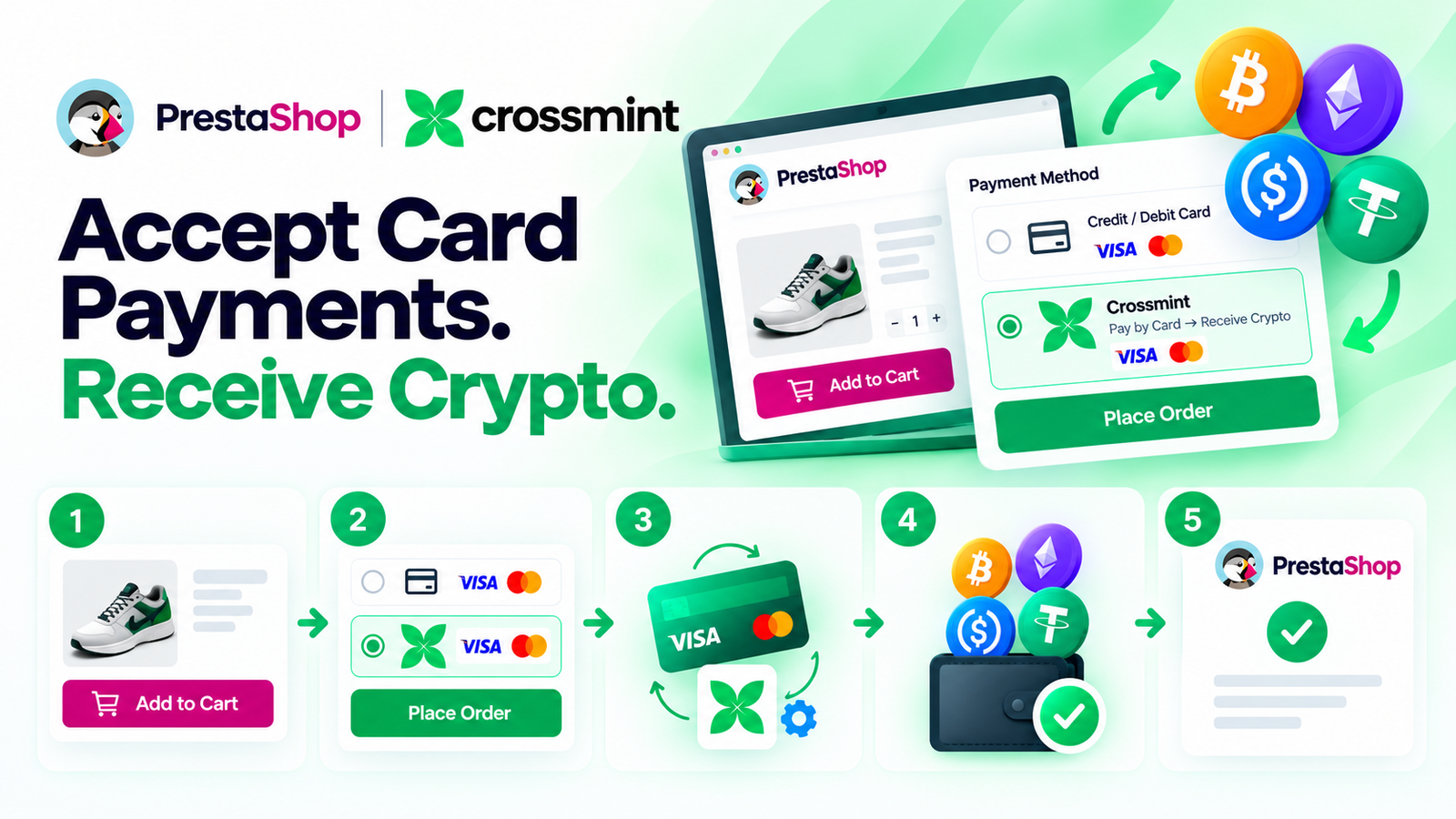
Let your PrestaShop customers pay with a credit or debit card while Crossmint handles the card-to-crypto conversion and delivers crypto to your configured wallet. Simple checkout, easy setup, and no KYC or business documents required by KyleShop to purchase or activate the plugin.
$250
No reviews yet
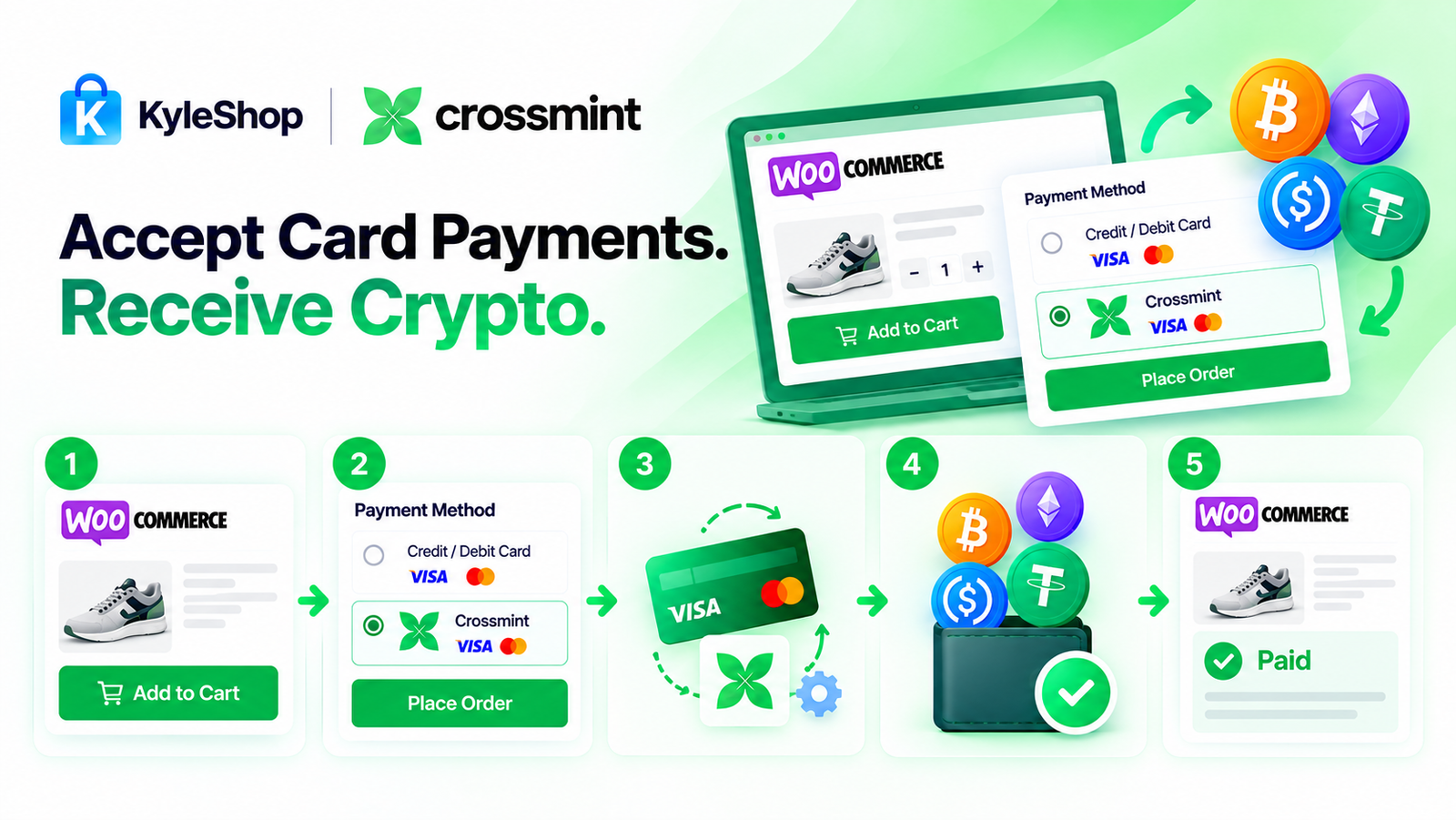
Let your customers pay with a credit or debit card while Crossmint handles the card-to-crypto conversion and sends crypto to your configured wallet. Simple WooCommerce checkout, easy setup, and no KYC or identity documents required by KyleShop to purchase or activate the plugin.
$250
No reviews yet